☝️

Translation API

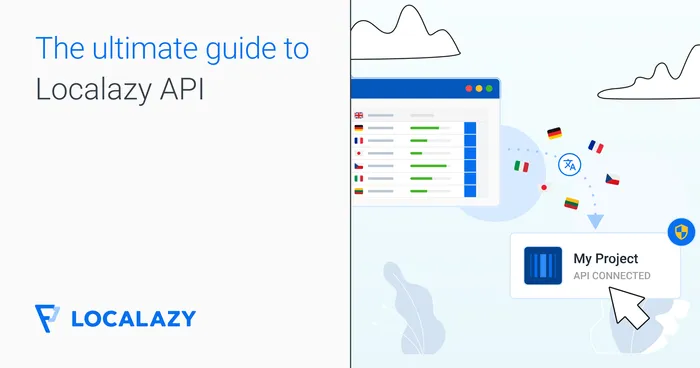
Automatically translate your software and content with the Localazy API and maximize your efficiency with programmatic translation project management.

 📬 Translation API = Smart Workflows

📬 Translation API = Smart Workflows

Use the Localazy translation API to upload your content for localization from any source and manage your i18n project's workflows programmatically.  

Follow our documentation to get started, grab your project token, and POST your content for translation now! 
🏅 Free Translation API Access

🏅 Free Translation API Access

Use the Localazy API to fully automate your i18n and translation efforts. Start for free and increase your team's productivity today.

Translate your content continuously and GET your translations exactly when you need them. 

💾 @localazy/api-client

💾 @localazy/api-client

Get our Node.js module, which allows you to interact with the Localazy API easily. 

The Localazy API Client is written in TypeScript and supports TS, ESM, CommonJS, and UMD.

npm install @localazy/api-client

Frequently Asked Questions

You can use the API absolutely for free. However, there are some limitations to prevent abuse.

Learn more about the limitations of Localazy API in the documentation.

Last updated: 17/12/2021

After you sign up, you can obtain the token at https://localazy.com/developer/tokens

The project token is automatically permitted to read and write to the project.

Last updated: 26/05/2023

Using translation software is the new normal for translation, but how can they assist in translating your app or web content? It usually happens through APIs. For understanding translation APIs is we must understand what an API is.

API stands for Application Programming Interface. Basically, by using an API, two applications can communicate with one another.

A translation API works as a software interface that developers can use to add machine translation capabilities to their products or programmatically translate texts and content that their product displays in localized versions.

Localazy provides a Translation API as one way of integrating of software translation projects.

Last updated: 20/12/2021

Localazy API can be used to fetch up-to-date translated content, modify it or upload new content for translation. You can also manipulate the source keys in the project, manage screenshots, duplicities, webhooks and glossary terms.

Localazy Translation API endpoints allow you to:

  • List your projects
  • Import content to a project
  • Retrieve a list of available file types
  • Retrieve a list of files in the project
  • Retrieve a list of keys and translations from file
  • Update or delete source keys
  • List glossary terms
  • Create, update or delete a glossary term
  • List and update your webhooks configuration
  • List screenshots and screenshot tags
  • Create a new screenshot
  • Update an existing screenshot or delete it
  • List, create or remove duplicity links

Some use-cases where API is applicable:

  • Keeping translations up-to-date in your application
  • Sending content from your CMS database for translation
  • Managing translation context assets programmatically

Learn more about Localazy API endpoints in the documentation.

Last updated: 25/11/2022

With Localazy API, you have great flexibility of implementation.

For example, when you want to provide up-to-date translations without having to release a new version of your application, you can fetch everything through API and only fall back to static files in case of an error or as a fallback until the files are properly fetched, or you can skip using the static files whatsoever and use API only.

Basically all you have to do is:

  1. Sign up and create a Localazy project
  2. Get your API access token
  3. Create an API service on your side
  4. Upload content in source language via API for translation
  5. Fetch translated content in a language of your choice
Last updated: 07/02/2022

You can import content by making a POST request with your files in any of the supported formats, where each file should include a name, content type, and the actual content with key-value pairs for translations. The API will return an ID of the import batch that you can use for future operations.

Learn more here: Localazy Docs - API: Import

Last updated: 18/02/2025

Yes, Localazy API has request limitations of 100 requests per minute and 10 requests per second. If you need higher throughput, especially for production environments, consider using Localazy CDN for content delivery.

Learn more about the Localazy API limits

Last updated: 18/02/2025
🏁 Ready to try Translation API in your project?

Start your 14-day trial now to see Localazy in action! 👀

Sign up now

Breaking language barriers

Read more

We enjoy combining our in-house people, automated professional translations, and crowdsourcing the translations...

Case Study company logo
Photo of the Case Study author
Lukáš Tóth
Product Manager at Rouvy
Read more

The ease of use is splendid. Localazy's UI is simple, clean, and intuitive, and the price/performance ratio is unbeatable.

Case Study company logo
Photo of the Case Study author
Martin Uher
CTO at Investown.cz
Read more

The UI is super easy to use, the toolset is awesome, and the integration into Laravel works like a charm!

Case Study company logo
Photo of the Case Study author
David Jardin
Founder of djumla
Convinced? Let's get started!

🚀 Try Translation API with your actual content. 🗒️

Try it now