Translate your content

Website localization services

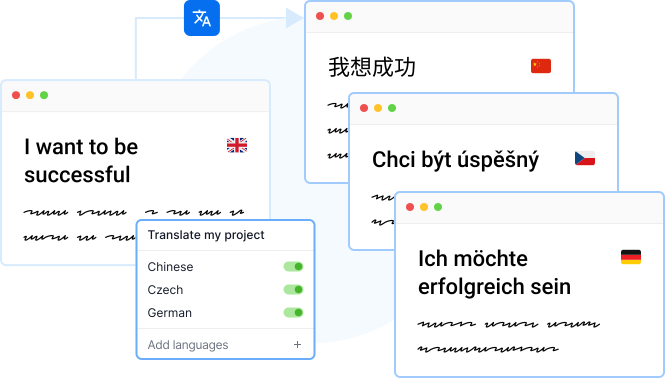
When entering a new market, localizing website content is a must. Scale your global presence in multiple languages effortlessly with Localazy.

START LOCALIZING
Show video
Accelerate your global growth with seamless website translation

Turn users into customers by personalizing your website content for every locale. From a single website localization project to an ongoing process, our mix of automated localization services and professional human translation ensures your content evolves into high-quality multilingual assets — quickly and systematically.

Make your localization efforts pay off in a shorter timeframe

Make your localization efforts pay off in a shorter timeframe

Forget the hassle of complex website localization processes. With Localazy, it’s fast, simple, and effective. We integrate easily with popular CMSs — Webflow, Strapi, Directus, or Storyblok, so your website localization efforts deliver multilingual content at scale, without extra steps or wasted time.
Learn more

Website localization services

Localazy offers all core localization features for free, and we don’t limit the number of languages or translations you can create.

Localazy integrates seamlessly with your workflow and will operate almost fully automatically for you once you set it up.

Enjoy fully featured translation management platform for a lower price or allow Localazy to translate your project for you with the True Continuous Localization service.

Last updated: 01/11/2021

The best practice is to first take a look at our available website localization integrations available in marketplace. You can choose from native plugins such as Storyblok, Strapi, Webflow, Directus or invite your developer to take a look at some advanced options and frameworks support.

Last updated: 29/08/2025

Translating your website in multiple languages is crucial for reaching a wider clientele. No other approach connects with people deeper than words in their native language.

Translating a website can be done in two ways: using human or machine translation. 🤓

For human translations, you’ll usually need to hire an agency that translates your web pages in the required languages. Translations by real people are impeccable because a translator knows to retain the structure, language nuances, and context.

Then, we can also translate a website using machine translation which relies on artificial intelligence to provide us with translations of our web content. When speaking about translation through AI, Google Translate intuitively comes into mind.

Artificial intelligence feeds on large quantities of data, but it can’t ever replace a real translator who can distinguish between different contexts and language nuances. 😵

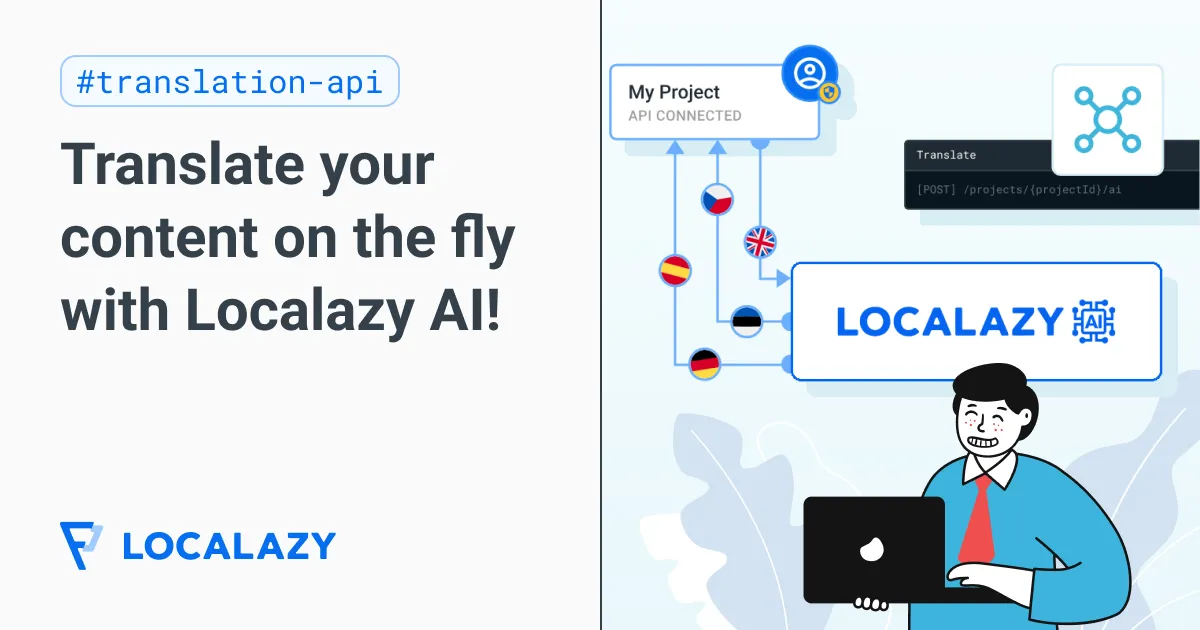
A website contains both general and specific types of content. Using Localazy’s API to translate your website means you can effectively leverage both human and machine translations.

How to do it then?

  1. Prepare your website for internationalization and localization.
  2. Choose a suitable translation API.
  3. Integrate your website with the solution of your choice.
  4. Choose languages and content to start translating.
  5. Optimize and grow your multilingual content.

As a continuous localization platform, Localazy gives you the power of using its API to translate all types of content on your website. And best of all, it’s free to use!

Last updated: 01/08/2022

Refining website content through culture, language, and flow is essential to provide users with the most useful and relevant experience.

Website localization is the process of expanding an existing website to meet the language and culture requirements of a target market. In other words, it is the process of adapting a website into a different linguistic and cultural context, involving much more than the simple translation of content.

Remember that people do not all speak the same language even if they live in the same country.

You might be interested in: #️⃣

Last updated: 29/06/2022

There are two ways to translate the website content: as a visitor or as an owner. From both of these perspectives can be employed different tools and approaches. ⚒️ But first, let’s explain how translation can be done.

💪 How do human translators work? #️⃣

Traditional translation agencies employ human translators to translate web content for their clients. The process is done the old way, mechanically translating each sentence while going through the pages. The human eye is indispensable for producing excellent localized content, no matter the advanced artificial intelligence algorithms you’re using for machine translations.

Humans can distinguish between similar contexts, language nuances, and figurative uses to select the right words. However, translators will charge for the time they spend translating common phrases, which are avoidable costs thanks to our ShareTM.

🦾 How does machine translation work? #️⃣

Artificial intelligence was first used for small translation tasks, but now it has evolved so much that it can substitute human translations entirely in some cases. Well-known machine translation service providers like Google Translate are responsible for a large amount of automatically translated content. However, they’re responsible for big bloopers as well. 😂

The golden middle way produces the most optimized results. Machine translations (MT) result from algorithms; therefore, they’re unable to detect figurative contexts, language nuances, and cultural differences. Automated translations save time and are worth the costs when they are being done under human supervision.

🌐 How to translate a website using Chrome as a visitor? #️⃣

The built-in Chrome feature allows visitors to translate a website from a language different from the one they’ve configured their browser to use. Its use is relatively straightforward, and users aren’t required to install or download anything as the feature comes with the Chrome browser by default. 😀

  1. Visit a page with content in a foreign language 😵
  2. Tap on the Google Translate icon on the right of the search bar to select the target language. 🎌 (Sometimes, Chrome will display a window with translation automatically)
  3. Three dots on the right reveal an extensive list of languages as options. ▪️▪️▪️
  4. Voilà! The page will be translated into the desired language. 🥳️

🏹 How to translate a website as an owner? #️⃣

Localizing your website for local markets is proven to increase sales and brand awareness for all kinds of industries. Deciding to localize your website means opening doors for clients who were unreachable before, but how can you go multilingual with your website? 🤔

If visitors are translating your website using the Google Translate feature, the chances are that the message of your content will be lost in the translation. Localization services like Localazy preserve the originality of your content through quick and efficient localization.

Generally, there are two ways to translate a website into multiple languages: human translation or machine translation. Everything else is a variant or mix of these two.

🎯 How to translate a website using Localazy? #️⃣

So, what’s the most optimal solution for translating your website? We’ve found that a combination of both human and machine translation can yield wonderful results at an affordable cost. With support in over 80+ languages and 3000 locales, Localazy is the result of this vision. Take the lazy but effective route to website localization here. ✅

Here are the steps to be followed for translating a website you own: #️⃣

Last updated: 17/10/2025

There are a few things to consider when choosing the best WordPress localization plugin for your site.

First, you’ll want to consider the size and scope of your site. If you have a large website with many pages and posts, you’ll want a plugin that can handle that amount of content.

Second, you’ll want to consider the languages you need to support. A simple plugin may be all you need if you only need to support one or two languages. However, if you need to support multiple languages, you’ll want a plugin that can handle that.

Finally, you’ll want to consider the features you need. Some plugins offer more features than others, so you’ll want to choose the one that offers the features you need.

A Localazy plugin for WordPress localization is on our roadmap. Until its release, you can connect your WordPress website via our Translation API or contact us to request a custom integration for your website.

Last updated: 29/06/2022

To translate a Strapi website, you need to install the official Internationalization plugin (it comes pre-installed since version 3.6.0 and above). Then you can add multiple locales for your content and translate your website directly inside Strapi.

To make it easier for you, you can also install the Strapi localization plugin by Localazy and seamlessly translate your content into multiple languages with advanced translation tools that Localazy offers, pre-translate everything with machine translation engines or order professional translation services to alleviate the need for handling translations altogether.

How to do it? #️⃣

  1. Install the Localization plugin for Strapi
  2. Sign up & Upload your content to Localazy.
  3. Translate your Strapi website content using the tools available in Localazy or let the Localazy Continuous Localization Team translate the content for you.
  4. Download translated content back to Strapi.

Learn more in the Strapi + Localazy tutorial.

Last updated: 17/10/2025

Storyblok localization is made possible with Storyblok’s field-level translation and folder-level translation. All Storyblok content types and assets are localizable - rich text, URLs, SEO metadata, and responsive images.

However, to achieve efficient Storyblok localization, it’s best to manage your content translation separately. We developed a filed-level Storyblok localization plugin that allows you to sync your content with our highly automated localization platform.

The Localazy plugin works best with the field-level translation approach.

Use the Storyblok localization plugin by Localazy to connect your Storyblok project with Localazy and translate your content seamlessly using our advanced localization tools. You can translate your content in various ways, including machine pre-translation for quick prototyping or integrated professional translation services that ensure the best results.

Try the Localazy integration for Storyblok now. Sign up and learn more in the docs.

Last updated: 08/08/2024

The best languages to translate your website into depend on your target markets and audience. A multilingual website development company should analyze your business goals and customer demographics to recommend the most impactful languages to start with.

Last updated: 04/06/2024

The timeline depends on the scope of the project, but a good multilingual website development partner like Veedoo will be able to provide an estimated turnaround time upfront. We can work with you to prioritize languages and content to meet your launch goals.

Last updated: 04/06/2024

The cost varies based on factors like the number of words, languages, and pages being translated. Using Localazy, we’re able to keep these costs to a minimum without compromising on functionality.

Last updated: 04/06/2024

Localazy integrates with your stack

AndroidiOSReactVue.jsAngularJavaScriptJSONXLIFFStrapiFigma
🫱 Order Translations & Start Localizing Today ⭐

Localize your web presence

Try now
Software Development
Education

Readmio automated their localization workflow to deliver magic to every story

Using Localazy, Readmio made the localization process easier for both developers and translators, reaching families in 135 countries. The expansion from 2 to 9 languages went smoothly, and more are already in the pipeline (French, Mandarin and other Asian languages). With translations running seamlessly, the team can now focus on adding new stories instead of fixing localization issues.

Features in use
Machine translation suggestions
Review process
Contributor control
IT
Computer Software

TICGAL propelled their mobile app for GLPI with a scalable translation flow

Gapp is now available in 24 languages, with community-driven translations that continue to expand its reach. The app has been adopted by organizations such the Spanish Ministry of Science and Innovation, the University of La Rioja (UNIR) and RCS Angola, which uses Gapp to manage over 100 field technicians.

Features in use
Connected Projects
MT Pre-translate
Crowdsourced translations
Finance
Software Development

Mindnow delivered a multilingual digital banking experience for Swiss families

Clanq now supports three of the country's official languages: German, Italian, and French, plus English. With Localazy, Mindnow can keep adding new features to the app without huge translation overhauls, meeting Cornèr Bank’s high standards as well as the demands of the Swiss financial landscape.

Features in use
Intuitive interface
Localazy CLI
Machine Translation
Load More