Most localization workflows today follow a linear pattern: content is created, exported to a translation management system (TMS), pre-translated by AI, reviewed by a human, then reimported and published for production use.
For your app UI, web copy, or help articles (content that changes over time, needs version tracking, and benefits from a translator or reviewer taking a careful look) that process exists for good reason. String management gives you control, history, and accountability.
But not all content needs that. An e-commerce catalog with tens of thousands of products, user reviews coming in from around the world, push notifications that need to go out in every market at once... For this kind of content, the overhead of a managed workflow is unnecessary. One-and-done translations don't always need to come through a TMS.
The Localazy AI Translation API is built for exactly this situation. And within your implementation, you don't really have to lose human control either. Read on to learn what the new Translation API can do and how to use it.
🧐 What is it? 🔗
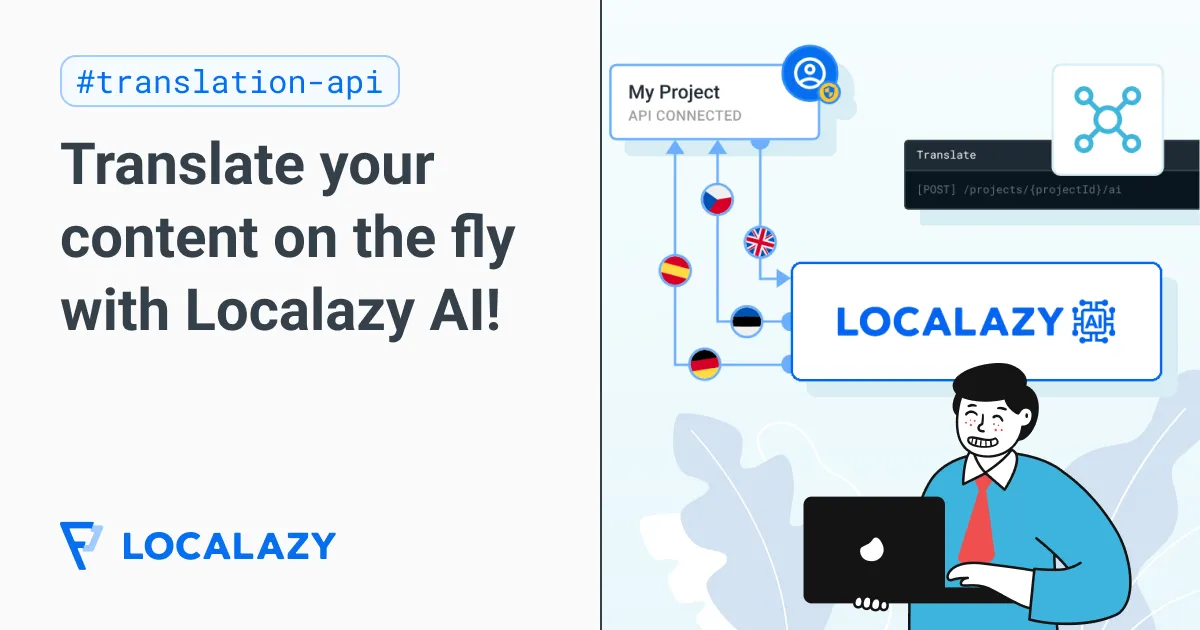
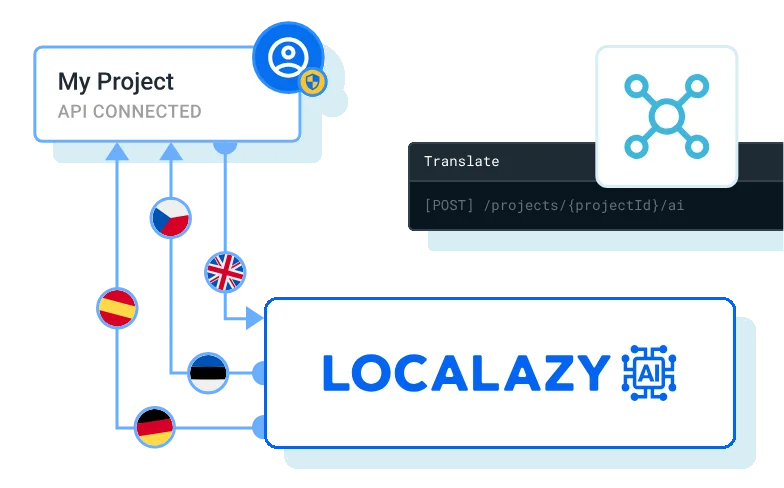
It's a single API endpoint that lets you translate your content programmatically within the context of your Localazy project using Localazy AI.
You send a POST request with your source content, specify the source and target language, and get back translations in the response — no file uploads, no project sync, no waiting.
curl --request POST \
  --url https://api.localazy.com/projects/{projectId}/ai \
  --header 'Authorization: Bearer {{token}}' \
  --header 'Content-Type: application/json' \
  --data '{
    "from": "en",
    "to": "cs",
    "items": [
      {
        "key": "btn_submit",
        "source": "Submit",
        "comment": "Button label for form submission"
      },
      {
        "key": "welcome_message",
        "source": "Welcome back, %s!",
        "lengthLimit": 50
      }
    ]
  }'
In the background, the Localazy AI uses your project's glossary, style guide, and other context cues to keep the output consistent with the rest of your translations managed on the platform.
Some technical details:
- Localazy Translation API handles up to 32 items per request (including plural forms).
- It accepts per-string comments to help the AI engine understand what it's translating.
- If Localazy AI is unavailable for any reason, you can also configure a fallback to translate content using Google Translate or DeepL at the request level.
🧩 What does it change for you? 🔗
The Translation API allows you to implement Localazy AI translations as part of your application logic, without requiring the content to go through the TMS first.
With a standard localization workflow, strings need to exist in a source file, be uploaded, translated, reviewed, and pulled back before they can go anywhere. For content that benefits from that cycle, it's the right approach. But for content that's generated continuously, published in bulk, or time-sensitive, building a round trip through a TMS into your pipeline creates friction that serves no one.
Generic machine translation APIs give you a translation. The Localazy AI Translation API gives you a translation that understands your project. It has access to your glossary, so the terminology stays consistent across all requests. It also applies your style guide, so the output matches the register and tone of the rest of your content and communications. For teams that have already done the work of setting up a Localazy project, that context comes along for free.
And the additional note or comment you can pass with each request shapes the output in ways that a traditional machine translation can't match.
🕹️ How does it work? 🔗
The API uses Localazy AI as the primary translation engine in the same way you use it to power automated translations across your projects. What makes it more than a generic AI translation call is the context it draws on. When you make a request, the engine has access to your project's glossary and style guide.
Say you're translating a push notification about a flash sale. If your style guide specifies an informal register, that carries through. If "Premium" is a term for a product tier that shouldn't be localized, your glossary handles it. And the content gets translated consistently with your product, without anyone managing it as a string.
Each request requires a key (the identifier for the content item). It doesn't need to be semantic, but a descriptive key (like flash_sale_push_nov), which gives Localazy AI a signal about what it's working with. You can also pass a comment (a short plain-text note explaining the string's context or placement) which makes a meaningful difference for short or ambiguous content.
🧭 Use cases 🔗
Let's explore three example use cases that benefit the most from using the Translation API.
E-commerce: new catalog content 🛍️ 🔗
For large e-commerce operations, the challenge is usually the sheer amount of product descriptions that need to be dealt with. A new product line might arrive as a structured feed of hundreds of SKUs, each with a title, short description, long description, and a set of attribute labels. Getting all of that through a managed translation workflow before launch takes time that the business doesn't always have.
The API fits naturally into your e-commerce product publishing pipeline. When new product content comes in, your backend calls the API, translations come back, and the content goes live in all target languages. The winter jacket description will likely stay the same in March as it was in January. Once it's translated, it's done and doesn't have to take space in a TMS.
During the process, your glossary keeps category names, brand terms, and product-specific vocabulary consistent across the catalog. And for short strings (for instance, a spec label like "Water-resistant up to 30m"), the comment field is worth using. Something like "Product specification, shown in a grid on the product detail page" gives the model enough context to handle the ambiguous phrasing.
In addition, the lengthLimit parameter is useful for constrained placements, like product card subtitles, meta descriptions, or anything that gets truncated in the UI if it runs too long.
User-generated content: reviews and community posts 💬 🔗
Translating user-generated content close to real time is practical with the API in a way it isn't with a TMS workflow. A new review gets submitted on your site → your backend sends it to the API → you store the translation alongside the original → the reader sees it in their language.
User-generated content tends to be informal, which can trip up engines that default to a formal register. Using the comment field to note that a string is user-generated — along with relevant context like product category or discussion topic — helps keep the output from feeling stiff. Your style guide can also set register expectations that carry through automatically.
Multilingual publishing: push notifications 📲 🔗
Push notifications are one of the cleaner cases for the Translation API because the constraints are so well-defined: short strings, all languages at once, and a hard deadline. Notifications can't wait for translation cycles to complete: they need to go out now. 😀
Most teams handle this in one of two ways: either they maintain separate notification content for each language (high effort, easy to let drift out of sync), or they send everything in English and accept that a chunk of their audience gets a worse experience. The Translation API opens a third path that requires little additional infrastructure.
To show how this works in practice, here's a proof of concept I coded with Claude: a simple push notification center for a fictional mobile game, "Monkey Mayhem: Jungle Chaos," that I use as an example project in Localazy demo calls.
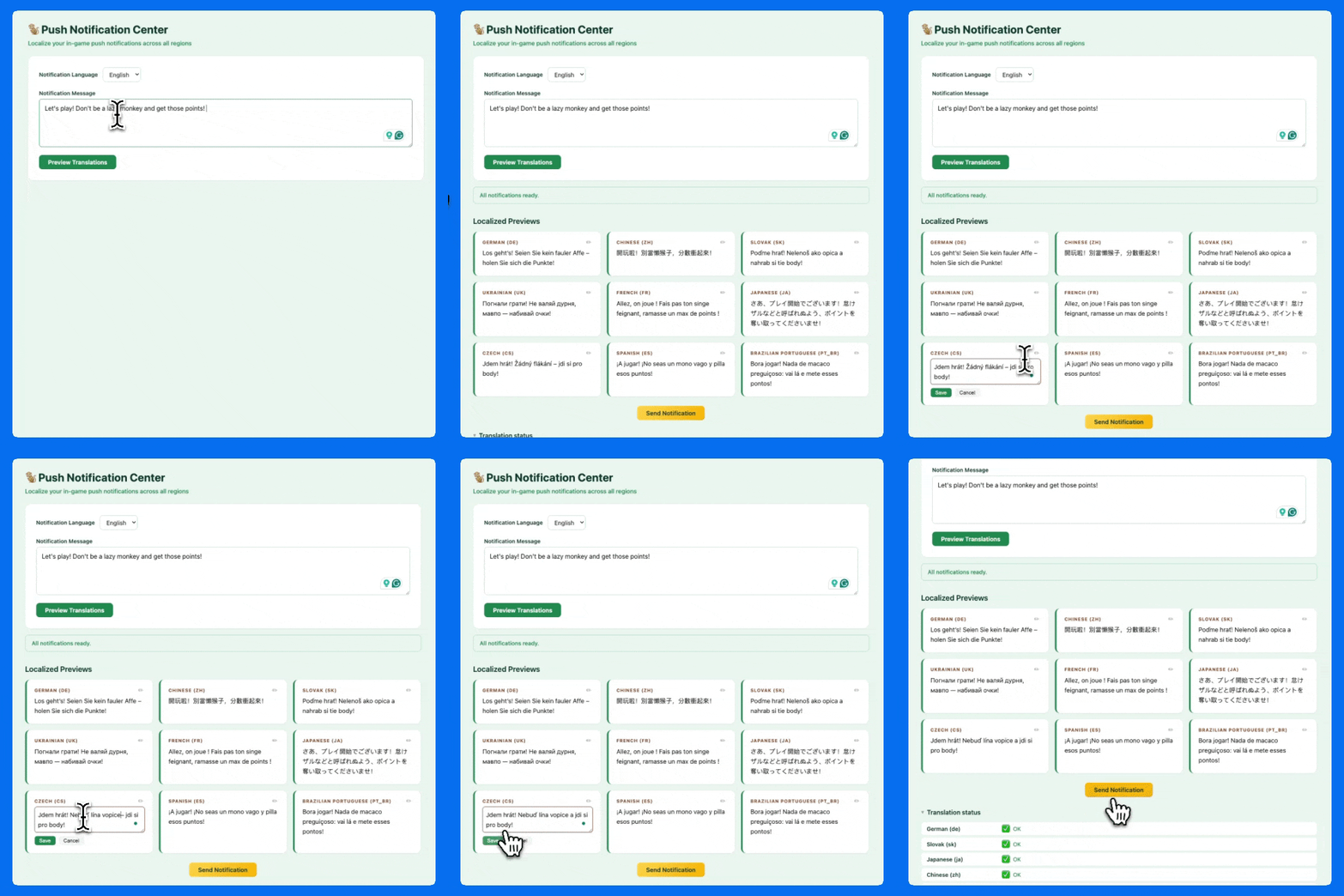
The interface of my push notification center lets you write your notification in the selected source language, translate it into 9 predefined languages with Localazy AI, make any last-minute corrections, and send it.
Under the hood, it calls the Localazy Translation API for all target locales, collects the responses, and prepares the localized versions for dispatch.
Each language goes to the API as a separate request. The responses come back with translations for each, keyed to the original string.
The whole flow (write, translate, review, send) takes about as long as it takes you to write the notification in the first place. There's no handoff to a translator, no waiting, and no reimporting. 🎉
For short strings like notification copy, the comment field could also be added to refine the output quality further. Something like "Push notification for reactivating mobile game players, shown on mobile lock screen" can give the resulting translations some flair.
And as stated above, if Localazy AI is unavailable for any reason, you can set a fallback to "deepl" or "google" in the request, which creates a safety net for time-sensitive use cases like this.
✅ Wrapping up 🔗
The Translation API doesn't replace a managed localization workflow, but it's a terribly useful tool to extend the possibilities when you're delivering a multilingual experience to your users.
For content that benefits from translator review, version history, and string-level control, Localazy's standard workflow remains the right approach. In contrast, the API handles what that workflow was never designed for: high volumes, short turnarounds, and content with short expiration dates.
If this fits your use case, it's easy to get started:
- Create a Localazy project (or use an existing one).
- Generate a translation token scoped to this endpoint.
- Make your first POST request to
/projects/{projectId}/ai.
Remember that translation requests consume Localazy credits, so make sure to check your account balance before going to production. We hope you find this feature useful and, for any questions or feedback, leave a comment on the discussion forum or contact us directly.