What happens when you try to build a custom LLM integration for translating your strings?
- You spend hours refining prompts with your glossary terms... only to have the model ignore half of them.
- Translation quality varies across batches because you're writing a new context prompt each time.
- You end up managing prompt engineering on top of localization, and the cost savings disappear when you factor in the time spent maintaining your integration.
- You're constantly looking out for mistakes and don't have an easy way to fine-tune the results later.
The solution doesn't lie in trying a different AI model when the results don't work as expected. What makes the difference is the infrastructure built around it.
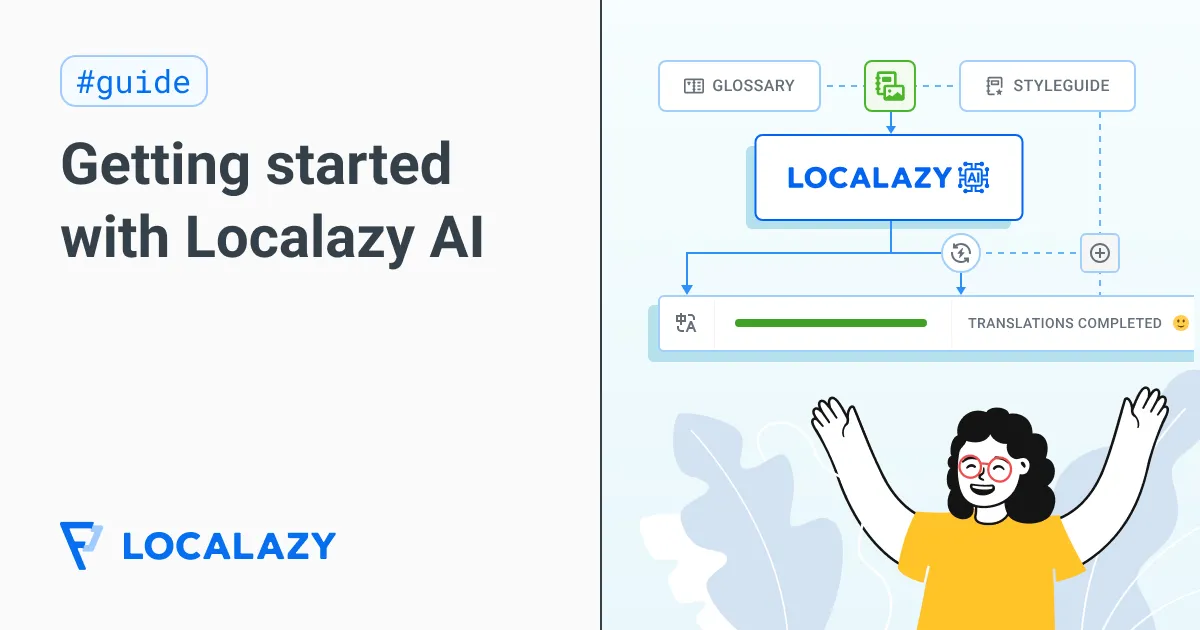
Our team has spent the past year researching what makes AI a reliable companion in localization. Instead of immediately translating text like a direct API call to an LLM, it reasons first. Before touching a single word, it collects context from your project, processes that data to understand your specific needs, and then plans the translation approach. And it is an integral part of the translation management platform, so you are always in control of the results and can intervene at any point.
Read on to learn how to use Localazy AI effectively as a part of your translation process.
👑 Context is still king 🔗
The quality of translations depends on how well the translator understands the source text before they begin. Localazy AI is no different from a human in this regard — both need context to increase the accuracy and quality of the resulting translation.
Localazy AI uses your glossary, style guide, key names, translation notes, comments, and previous translations to reason about what you're translating and how it should sound. Before you translate your strings using it, prepare at least the glossary and style guide to improve results.
Start with a glossary 🔗
Add your product-specific terms and how they should be translated in each language. But don't just list translations. Include descriptions that give the AI and humans a deeper context.
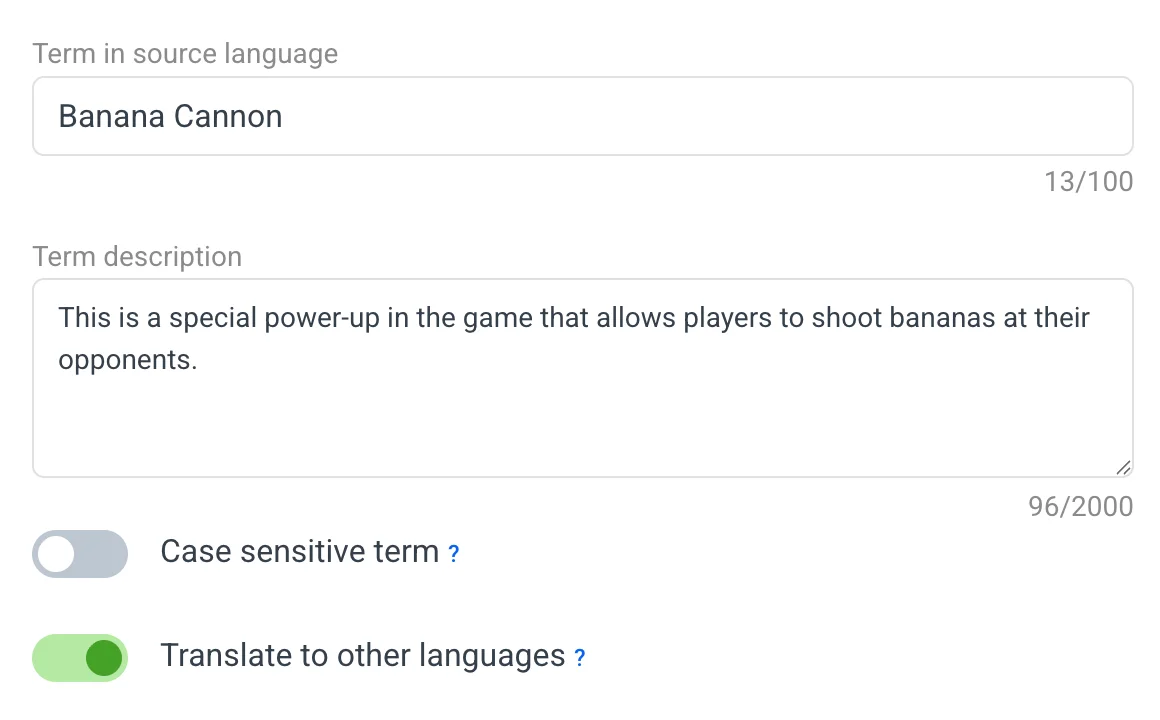
📝 What can you include? Brand names, abbreviations, feature labels, or industry-specific terms. The glossary lets you define these terms, whether they should be translated or kept as they are, and their target translations in multiple languages.
The AI uses this information during its reasoning to avoid misinterpreting your terms and to maintain consistent translation.
Add a project style guide 🔗
Tell the AI whether you want a formal or informal tone, how to handle gender, and what level of technical vocabulary to use. During the reasoning phase, the AI will consider your style requirements alongside the text itself.
Your French marketing copy probably needs a different voice than your German button labels. The Style guide helps Localazy AI plan the right approach for each piece of content before translation.
👇 Watch the video below to learn how to set up your style guide.
Key names and translation notes 🔗
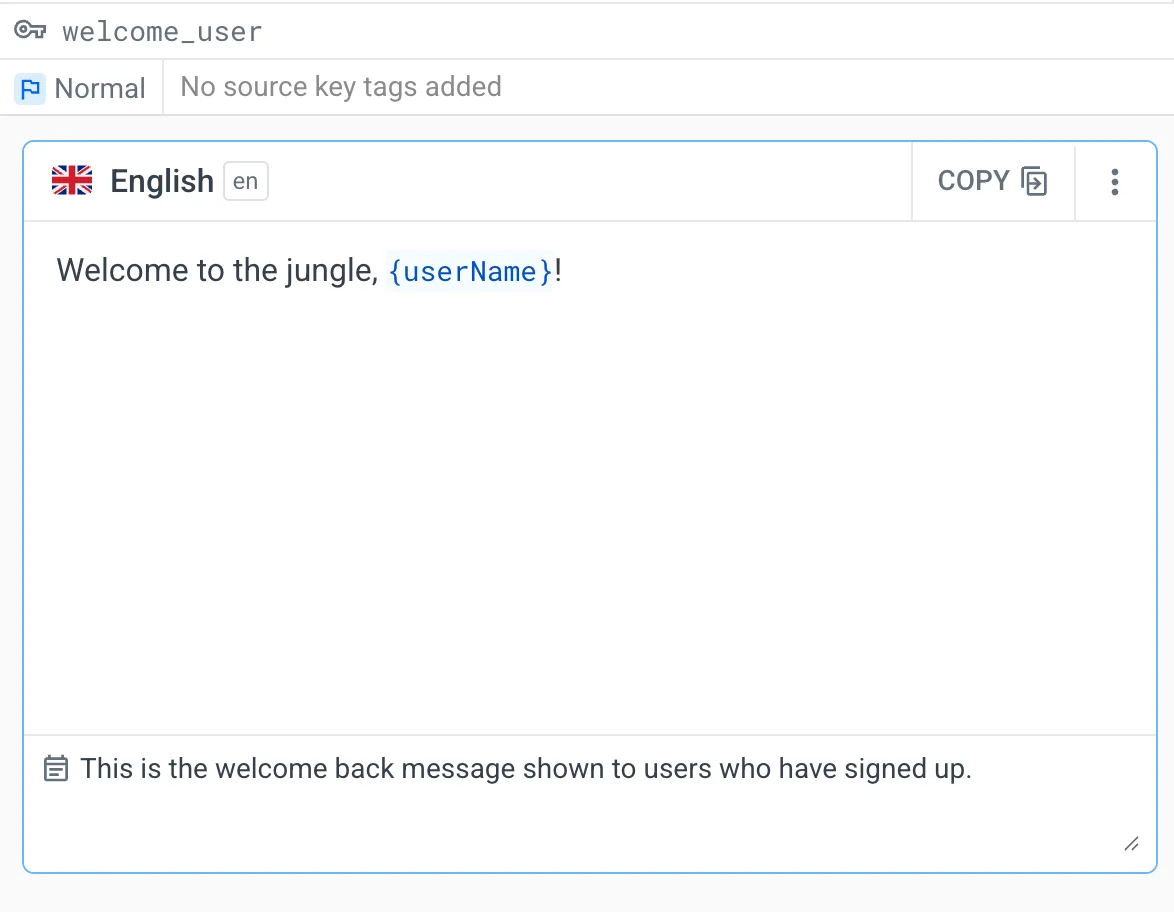
A key named reservation-button tells the AI this is a button for reservations before it even looks at the text. That implicit context helps it reason correctly. If your key is just book, the AI has nothing to work with.
Add notes when specific strings need special handling, like: "Use imperative form" or "This appears on the checkout page, keep it short and action-oriented." These notes inform the reasoning process, helping the AI understand not just what to translate but also how the translation will be used.
Conversations in comments 🔗
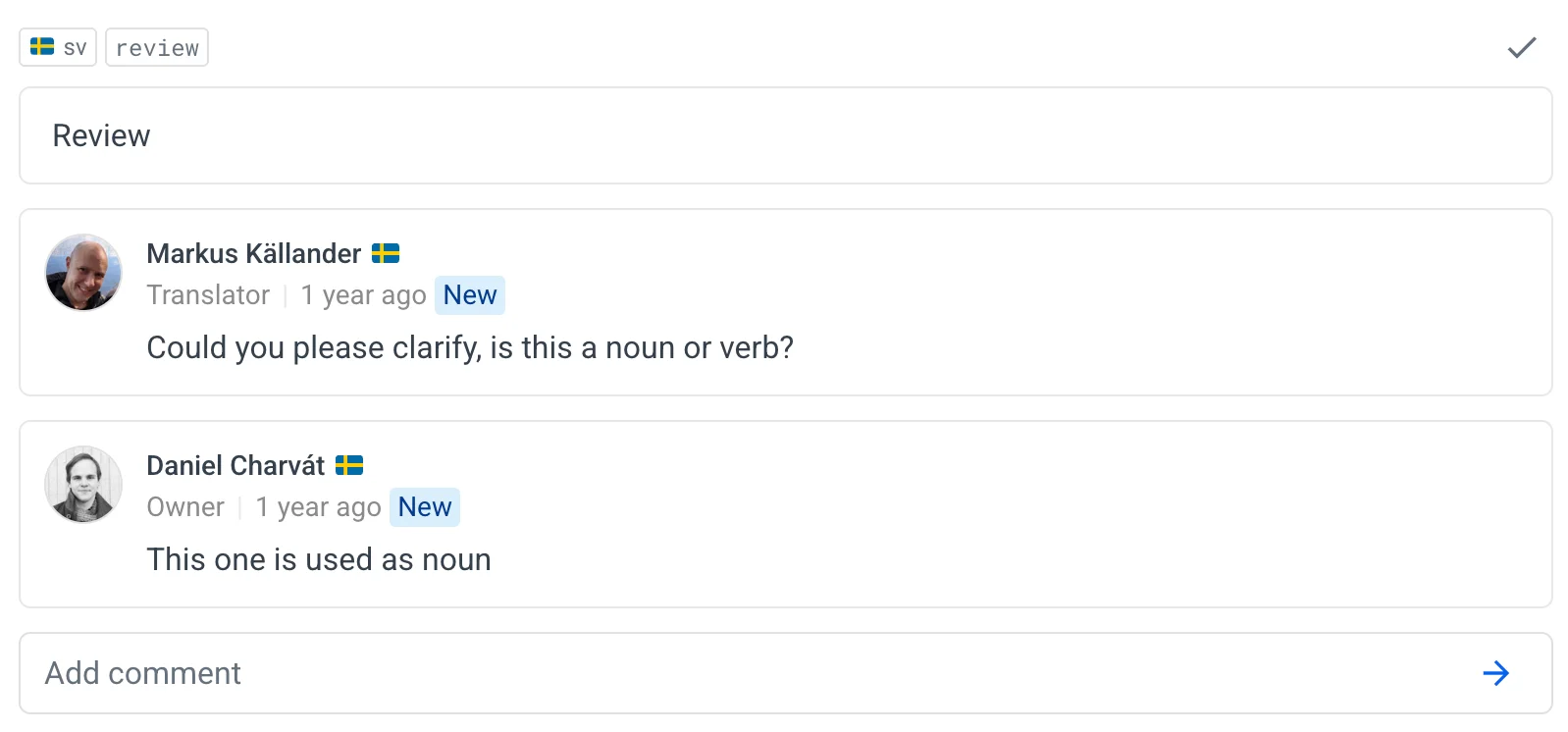
When your team discusses a translation, those conversations also become part of the reasoning context. If someone asks, "Is this a verb or a noun?" and you clarify, "infinitive verb, please," the AI takes that into account when handling similar strings.
💡 How to use Localazy AI in your project? 🔗
When your context is ready, you can start using the Localazy AI in your translation workflows.
There are currently two ways to do it, and you might want to use both of them in different contexts. But first, you should top up some Localazy credits.
Top up credits 🔗
Each subscription plan includes a monthly credit allocation that resets at the start of your billing cycle. The credits included with your subscription help you with day-to-day updates of strings, but if you expect to translate a whole new language or start a new project from scratch, you might want to top up additional credits to cover all of the new words and languages.
Navigate to the billing section in your organization settings and add credits to your account (Services > Overview > Available credits > Increase). The credits are used to pay for professional, machine, and AI translations altogether.
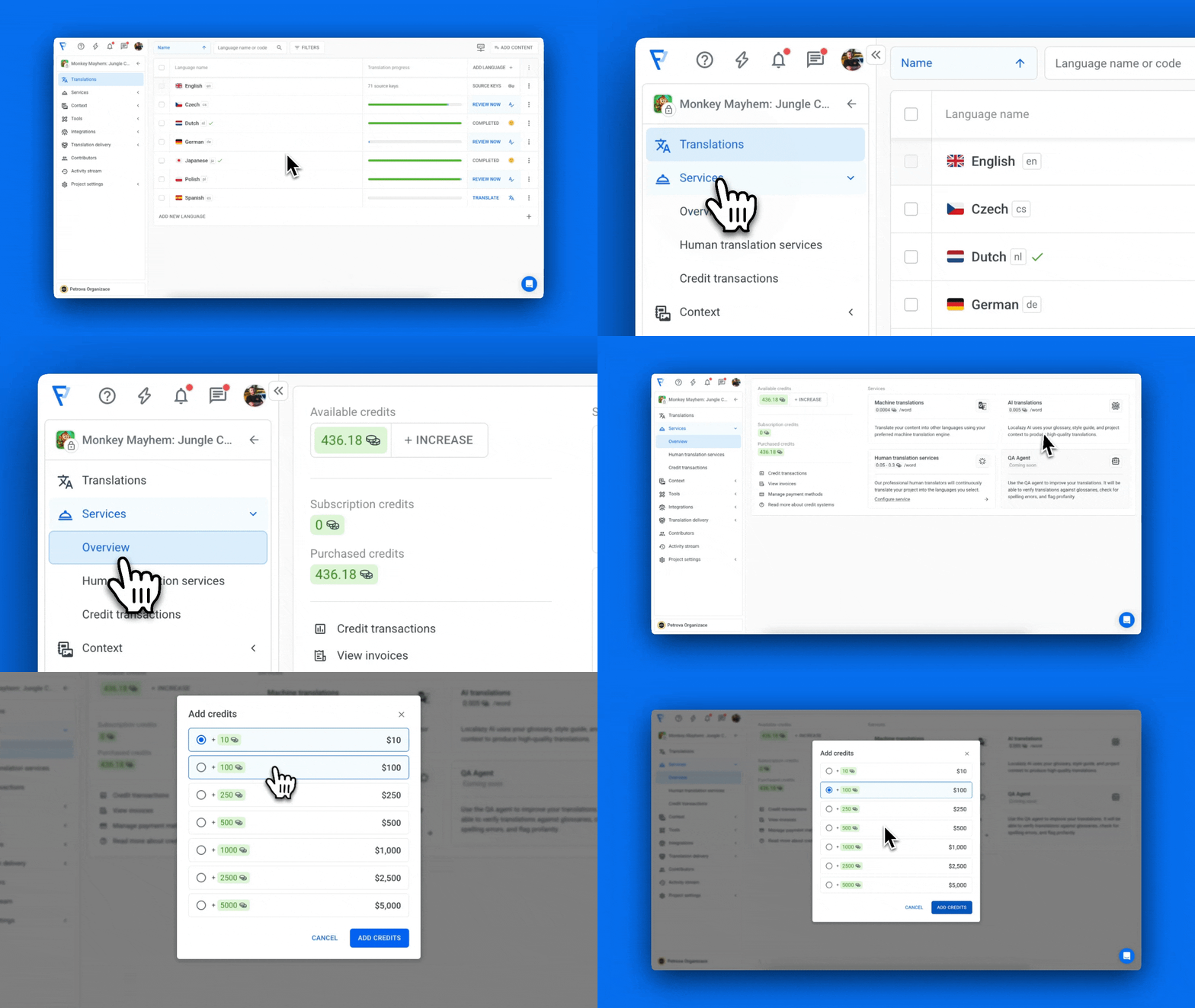
Start with $100 if you're testing (that's about 20,000 words), or add more if you're translating larger projects. Purchased credits don't expire and work across all your projects.
Translate in bulk 🔗
Once you have credits, navigate to the Translations screen, select the language you want to translate, and choose "Use Machine Translations" from the context menu.
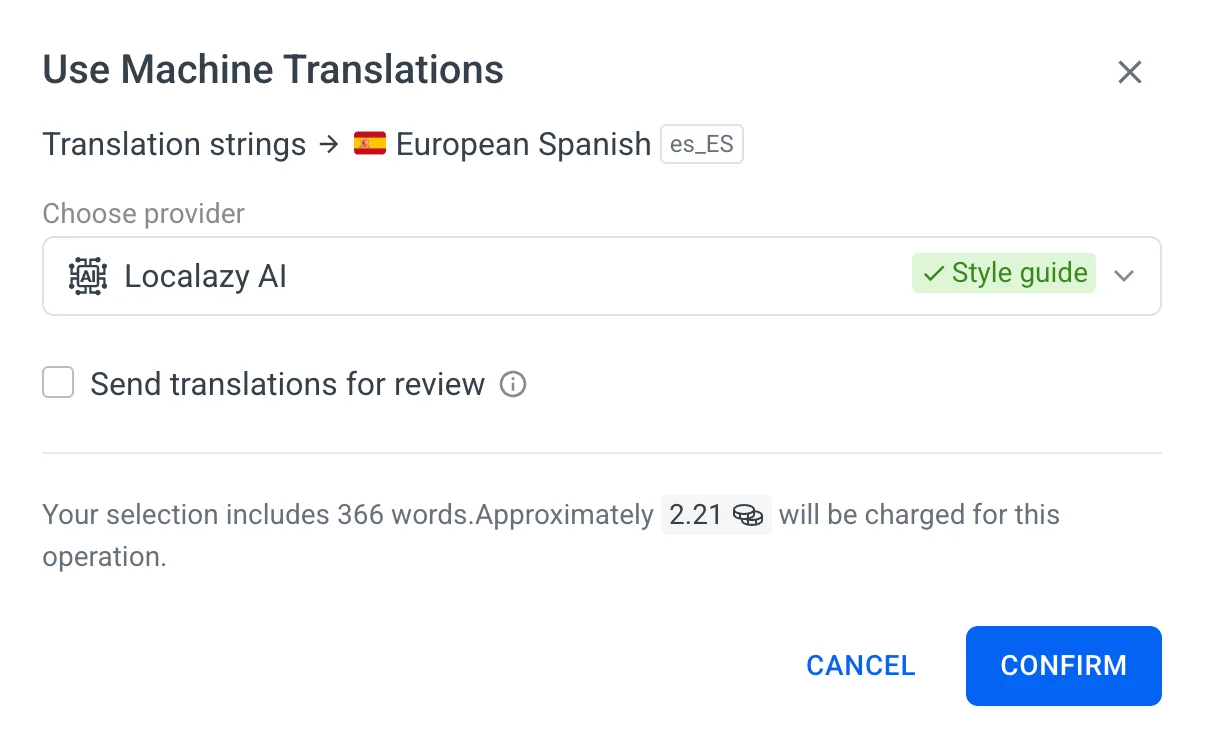
Select Localazy AI as your translation method, and the system will process everything with the context you've configured (glossary, style guide, notes).
This is useful when you're adding a new language to an existing project, translating a batch of new features, or doing your initial translation run.
Automate it 🔗
AI translations are most valuable when they happen automatically. Set up Automation rules: when new source strings appear, translate them immediately into your target languages. When a source string changes, retranslate it.
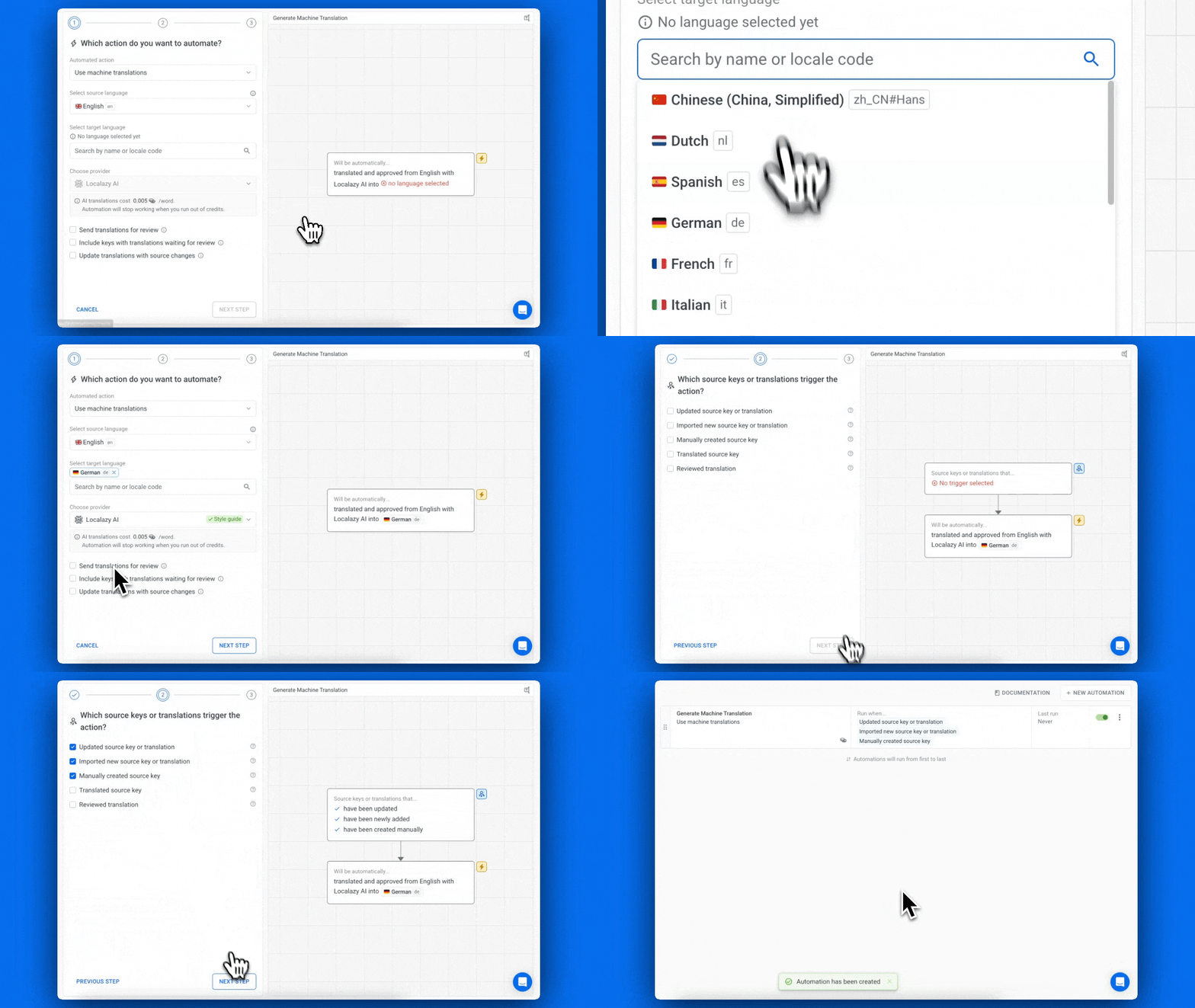
This pairs naturally with the CI/CD integration:
- Your developer merges code with new strings.
- The CI/CD pipeline uploads them to Localazy.
- Localazy AI translates them within the available context.
- The translations get pulled back into your build and can be optionally flagged as "Needs improvement" so a human can review them.
The whole process runs without anyone thinking about it.
You can also set up automations that route specific languages to professional translators, while the rest is handled by AI. Maybe your English-to-Spanish content always goes to humans, but English-to-German uses AI. The Automations handle everything according to your rules.
👀 Review what actually needs review 🔗
Localazy AI handles the bulk of the work. Your thousands of strings get translated with consistent logic applied across all of them. Translation memory suggests existing translations for similar content. The AI maintains consistency automatically.
Use priorities and tags 🔗
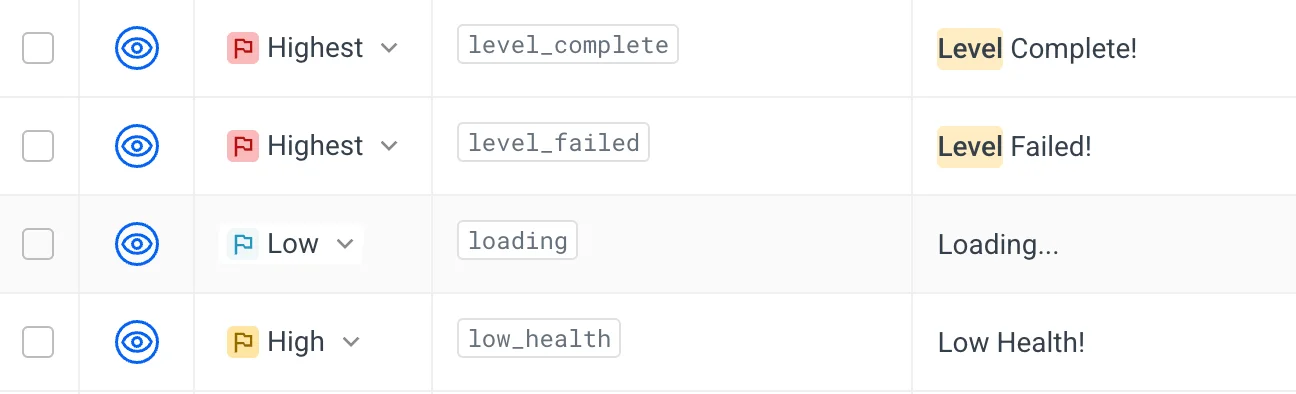
You can set priorities for your strings based on where they appear, leaving you to review what actually needs attention: customer-facing marketing copy, onboarding flows, and anything where brand voice matters significantly. Technical strings like error messages often ship fine with just AI translation and QA checks. Your "File not found" error doesn't require the same level of review as your landing page headline.
Set up language permissions 🔗
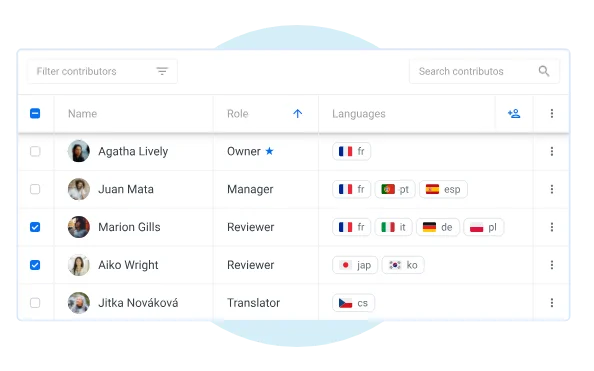
You can also set language permissions so your French expert reviews only French, your German expert reviews only German, and so on. They see the source text, the AI translation, relevant context (screenshots, notes, key names), and glossary terms. They can quickly approve good translations and address any adjustments needed.
Review inside Localazy 🔗
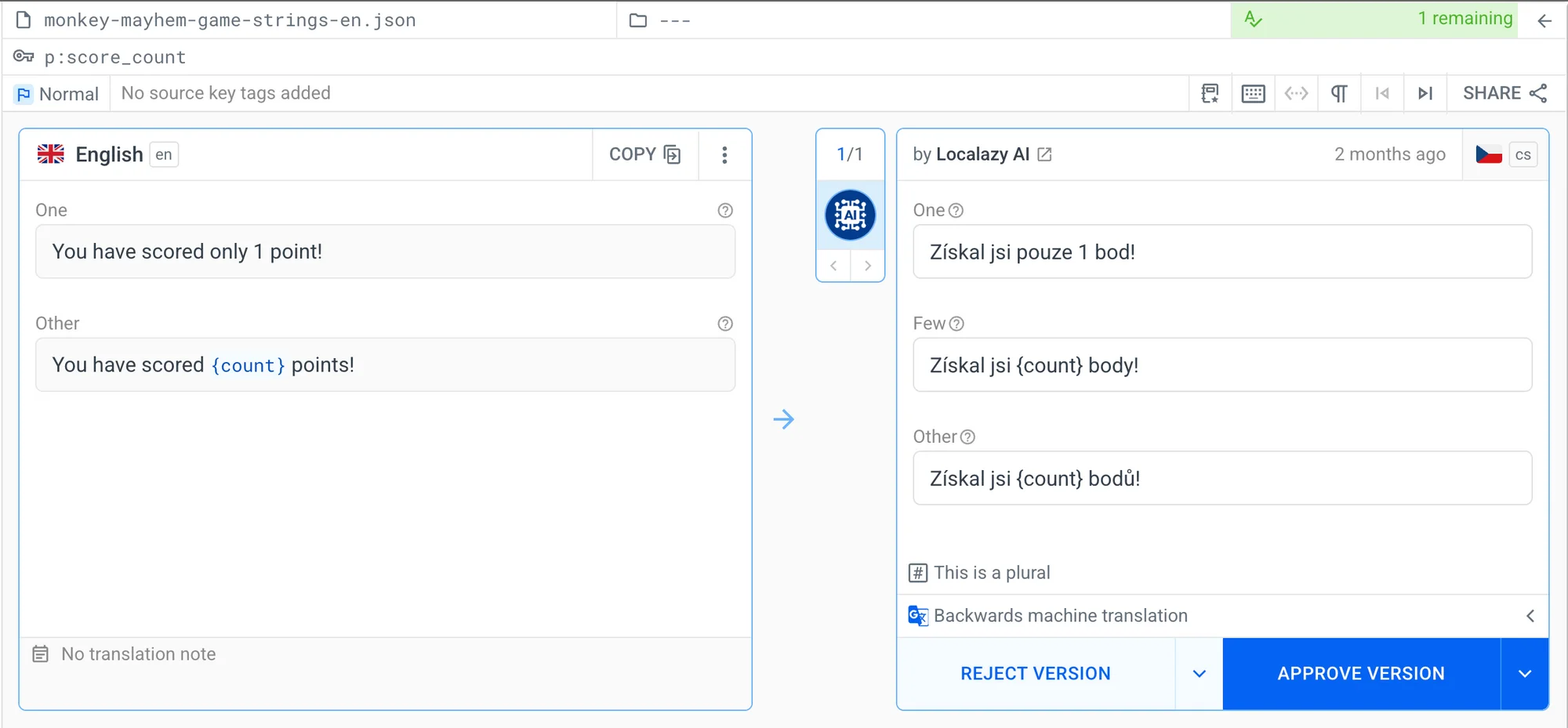
The review interface shows which strings changed recently, which ones have issues flagged by QA checks, and which ones have comments from other team members. You're working through a focused queue of content that needs your attention, not sorting through everything.
✅ Ready to try it? 🔗
I hope this practical guide helps you understand why Localazy AI is different and how to integrate it into your current localization workflows. Go ahead and try it with your content! Remember to set up your style guide and glossary first, so you can see the localization reasoning in action, and let us know what you think.
We want to hear from you:
What's working well? Where are you still spending too much time reviewing? What context would help the AI make better decisions? Your feedback helps us improve Localazy AI for everyone. Reach out through the support chat or share your thoughts at team@localazy.com.
🤔 FAQs 🔗
How much does Localazy AI translation cost per word? 🔗
The pricing uses a sliding scale where the cost per word decreases as the string gets longer. The price per word is determined by the number of words in the translated strings. A 1-word string would cost $0.008 to translate, while strings of 100 words or more cost as low as $0.0035 per word.
What is the cost comparison with other translation methods? 🔗
For context, professional translation via Localazy averages $0.15 per word, which is 30x the cost of AI. While machine translation providers like DeepL and Google Translate are much cheaper per word, they don't work well with software strings, so your placeholders or code markup can break much more frequently. They also can't account for your project context.
| Localazy AI | Professional human translator | Machine Translation | |
|---|---|---|---|
| Price per word | $0.0035 - $0.008 | $0.15 | $0.0004 |
| Cost | 💸 Moderate | 💰 Highest | 🥜 Lowest |
| Speed | 🚀 Fast | 📆 Days to weeks | ⚡ Near instant |
| Quality | 🏅 Context-aware, brand-consistent | 🥇 Highest, nuanced translation | 🎣 Can be good enough for general content |
When should I use each translation method? 🔗
- Machine Translation (DeepL, Google Translate) is the fastest and cheapest option for entering new markets or testing localization. It's useful for assessing whether a market is worth pursuing before investing heavily. The translations need significant post-editing because MT doesn't understand context, breaks placeholders, and produces inconsistent results. But for a first iteration or testing, it gets content out there cheaply. Be prepared for feedback and iterate often. If you are not afraid of the potential risk of misunderstandings, you can just fix the validation issues and ship quickly by using machine translation.
- Localazy AI is what you use for initial iterations and for testing new markets when you want higher quality than basic MT. It reasons through context, preserves placeholders, applies your glossary and style guide automatically, and includes QA checks. Humans can fine-tune the results, but they won't have to fix nearly as many mistakes as with traditional machine translation. The translations come back consistent and context-aware, so your post-editing effort drops significantly. Use this for 80-90% of your content.
- Professional human translators are recommended when quality is critical. Use them for customer-facing marketing copy, important landing pages, established markets where brand voice matters, or content where mistakes have consequences. Humans are also still better at understanding cultural nuances and creative wordplay that AI doesn't fully grasp.
Remember that you can mix methods within Localazy. Set up automations that route specific languages or content types to professional translators, while the rest is processed by AI. Automation filters handle routing according to your rules.
Can I bring my own token? 🔗
Currently, you can’t connect your own OpenAI or other LLM provider keys to Localazy AI. The system is built as an integrated service, not an API wrapper.
If you connected your own tokens, you'd encounter unexpected errors and unpredictable behavior:
- Rate limits vary by tier. Your OpenAI account might be on a tier with strict limits. Rate limits change between tiers, between models, and based on your usage patterns. This doesn’t apply to Localazy AI.
- Models disappear or change. If OpenAI deprecates or changes a model's behavior, your integration could break. You will need to update the model manually, regenerate the token, etc. With Localazy AI, we handle model updates and ensure translations remain consistent when underlying models change.