A lot has shipped since we last checked in!
So buckle up, because this might be the longest Release Update ever. 😅
⌨️ New CLI features 🔗
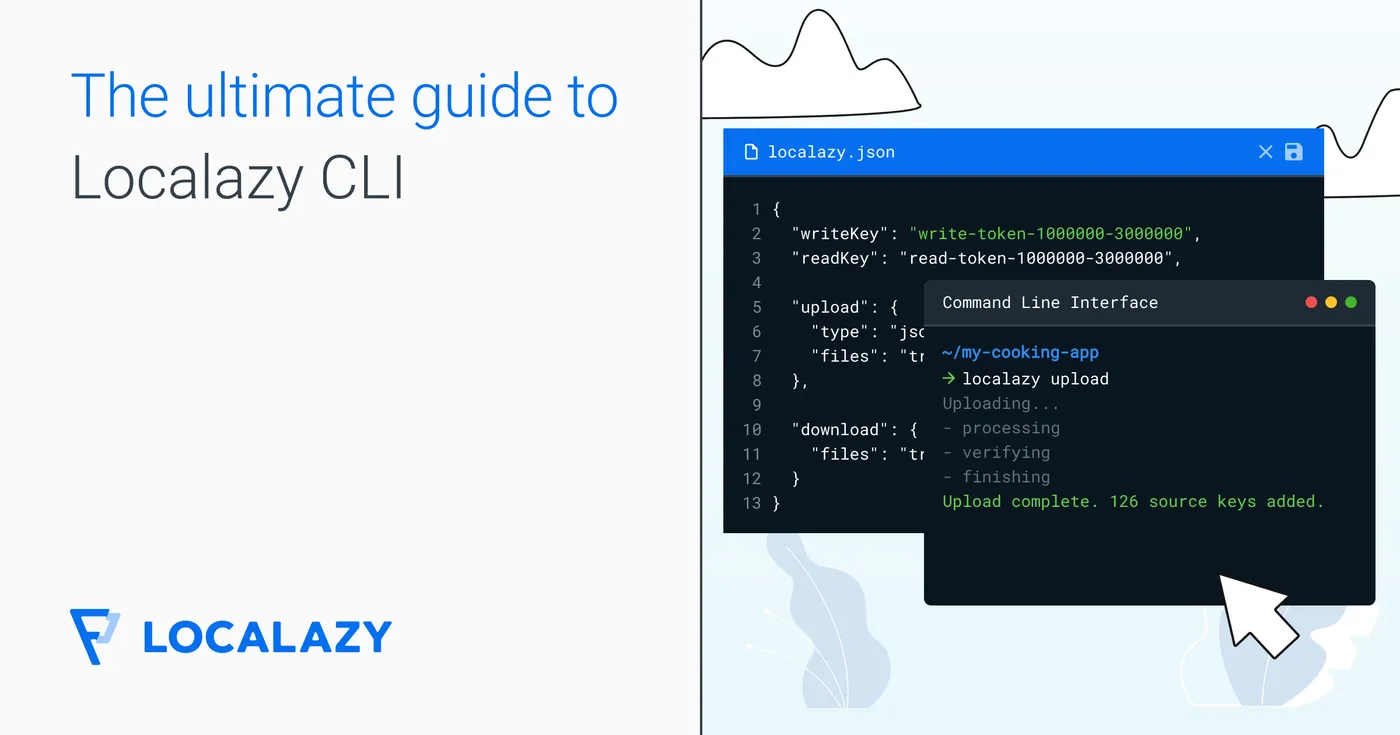
The CLI has picked up some new capabilities that were previously only available in the UI. Now your CI/CD or coding agents can simply call Localazy commands to translate on the fly and developers don't have to leave their terminal.
Update to version 2.0.11 to use the new commands.
AI translations 🔗
The localazy translate command provides on-demand, real-time AI translation directly from the command line. Unlike the batch operations, it does not modify any strings stored in your project. It just returns translations synchronously so you can use them in scripts, build pipelines, or one-off tasks.
Translate a literal string and print the result:
localazy translate --from en --to cs --text "Hello, world!"
Translate a batch from a file and store the result as JSON:
localazy translate --from en --to de --input src.json --compact > de.json
Batch operations 🔗
Batch translation operations are now accessible via the CLI as well, giving you the same control over multi-language jobs you'd have in the product. They are processed asynchronously on the server and the CLI starts the operation, polls for progress, and reports the final result once it finishes.
There are three subcommands:
localazy batch translategenerates translations for selected target languageslocalazy batch approveapproves waiting versions of translations for a target languagelocalazy batch tmapplies translation memory from connected projects
All three new commands have various parameters and features that you can use to optimize your workflow.
📬 Localazy API updates 🔗
Two notable additions to the Localazy API:
- You can now translate strings directly without the need to upload them into a Localazy project.
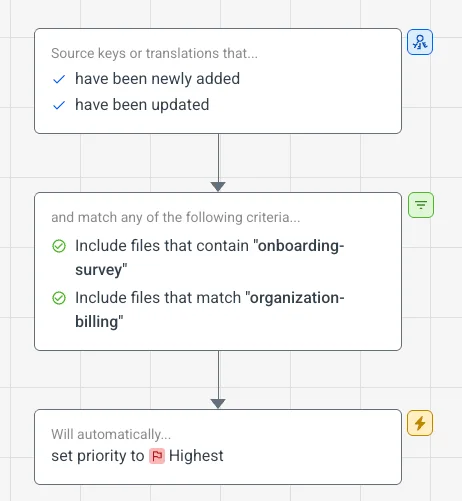
- You can manage source key tags and priority programmatically.
AI Translation endpoint 🔗
You can now get Localazy AI translations directly via the API, without uploading anything into the project. Send any text and get on-brand translations that follow your glossary and style guide.
[POST] /projects/{projectId}/ai
The endpoint above accepts requests with texts in any language and translates those texts into the target language via Localazy AI using the context of the project defined by {projectId}.
Read all the details in the docs.
Source key tags and priority 🔗
Tags and priority on source keys are now exposed through the API, so you can work with them programmatically as part of your workflow.
Read more about the source key endpoints in the docs.
🔑 New API tokens and CLI keys management 🔗
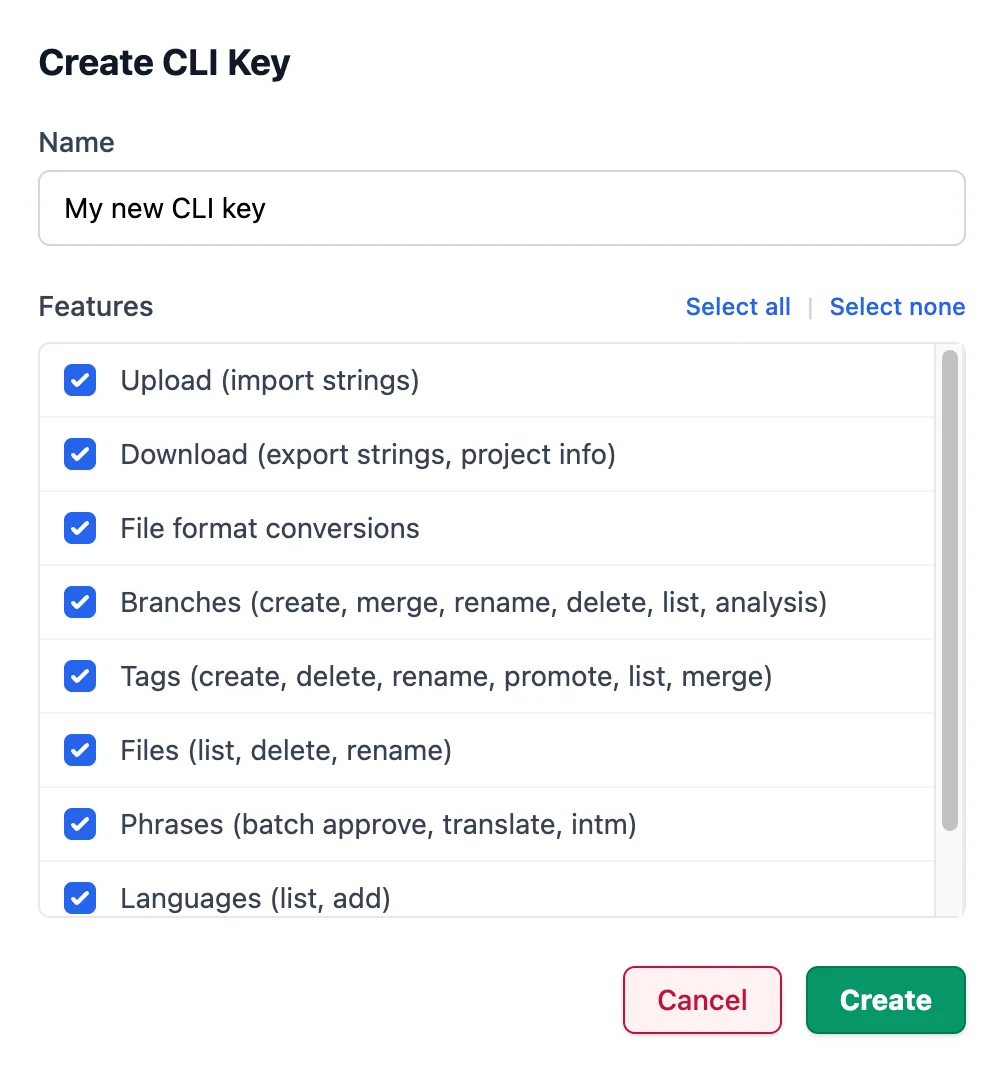
We've redesigned how API tokens and CLI keys work to give you finer-grained control.
CLI keys are still scoped per project and user. Each new key can now be configured to allow or restrict access to branches, format conversions, and other project-level command-line operations.
API tokens follow a similar model. Tokens now come in three permission levels: Read Only, Read/Write, and Translate Only. Translate Only is particularly useful for giving an automated integration just enough access to use the AI translate endpoint without being able to touch anything else.
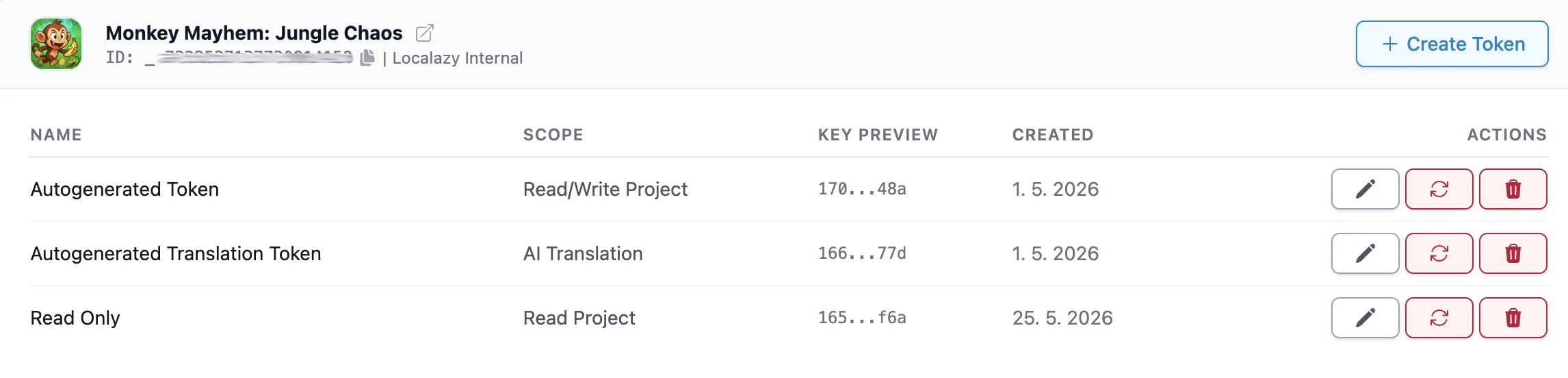
This makes it easier to follow the principle of least privilege when connecting third-party tools, CI pipelines, or team members who only need partial access.
🛸 Localazy AI suggestions 🔗
Localazy AI now offers its own translation suggestions directly in the editor.
When you open a phrase for translation, you can load a Localazy AI suggestion alongside the other machine translation provider options with a click.
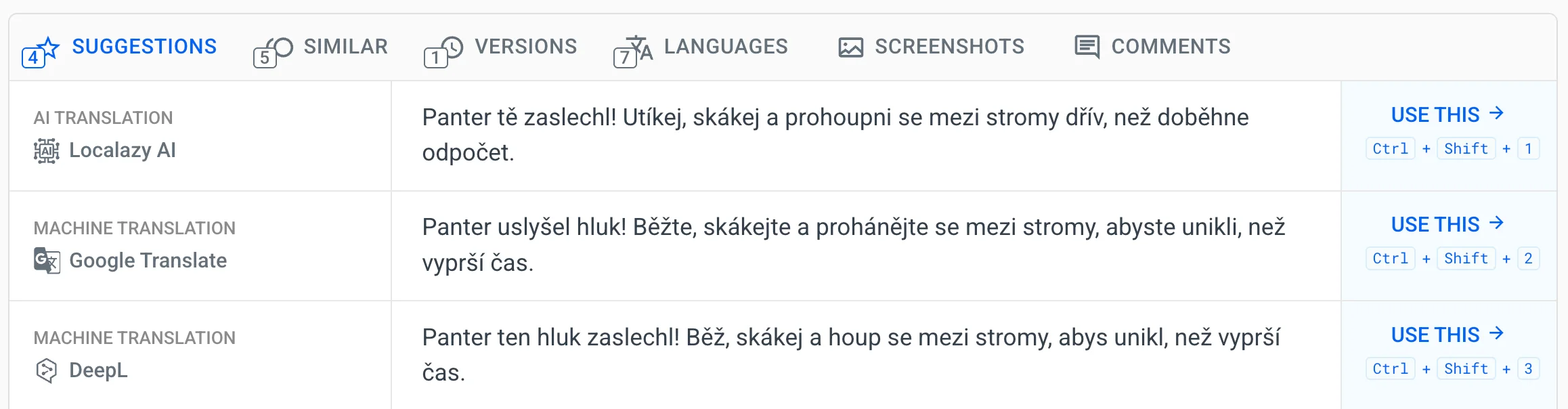
The suggestions are context-aware and use your project's style guide, glossary, notes, comments, and translation memory to stay consistent with the rest of your content.
You can enable or disable the feature per project in your project settings under machine translation options, separately from the rest of the suggestions.
📖 Glossary management revamp 🔗
The glossary has been around for a while, and it was showing its age. We've added an option to import glossary in a CSV or Excel files and rebuilt the management interface from the ground up, because a glossary that's annoying to maintain doesn't get maintained. And inconsistent terminology is one of those translation problems that often goes unnoticed.
The glossary is available when translating strings or reviewing translations in the UI. Matched terms are highlighted and validated for every translation.
Glossary terms are used as context when generating translations with Localazy AI and other machine translation providers that support it.
You can also share glossaries across projects with the Connected Projects feature.
New glossary import option 🔗
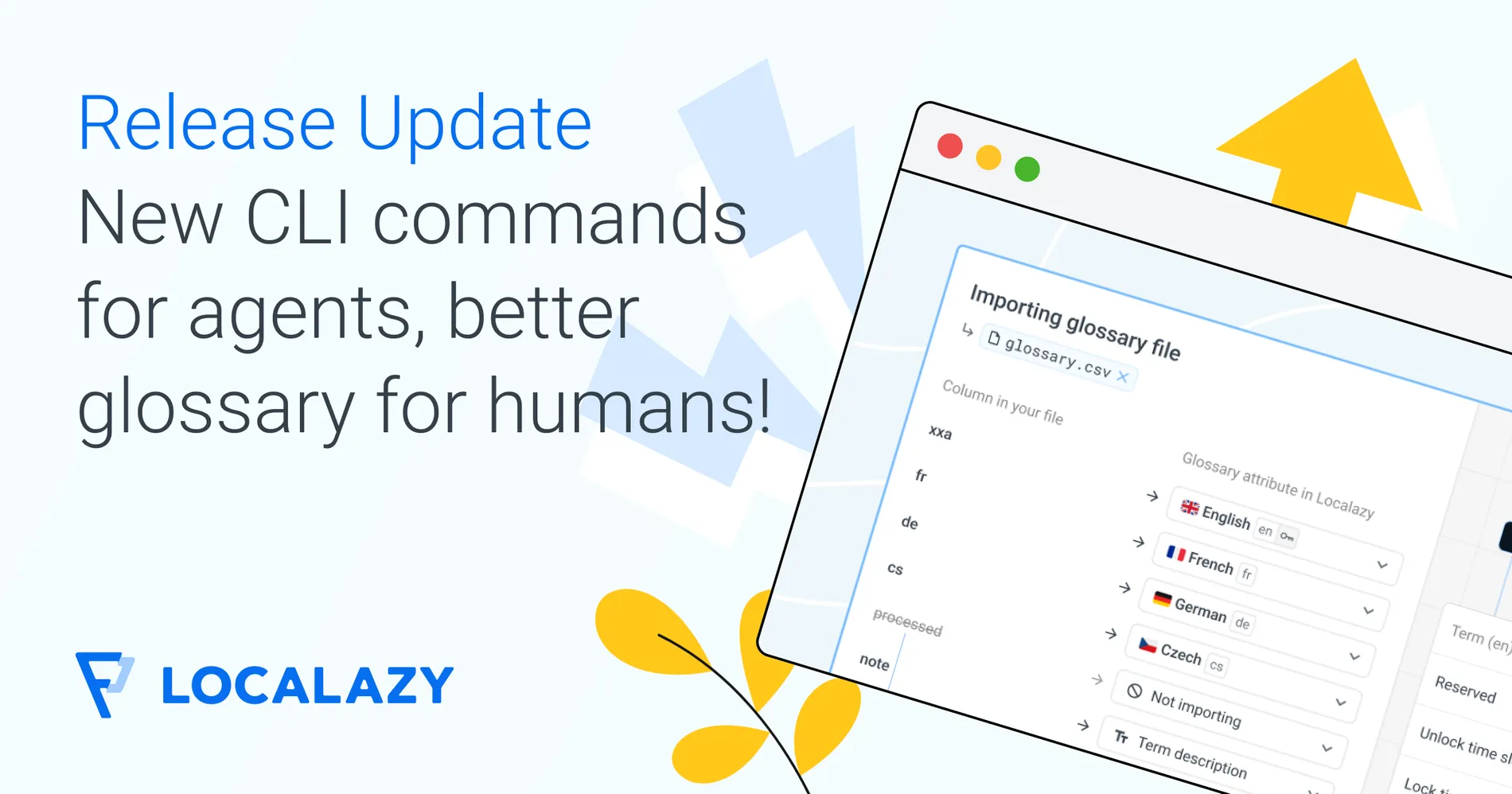
You can now import glossary terms in bulk, so you're not stuck entering them one by one if you're migrating from another system or have an existing term list.
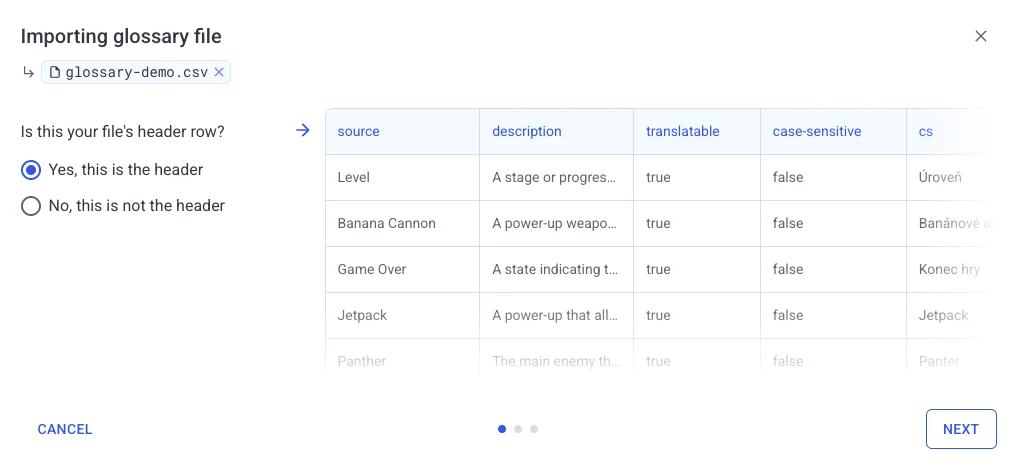
Your file will be analyzed and if it’s prepared correctly, no manual column and value mapping will be necessary, but you can always tweak things before you import it into your project.
New table design 🔗
The table view now allows you to see the term in all or just some languages, show or hide attributes, and of course, filter the displayed terms based on your rules.
New glossary term edit screen 🔗
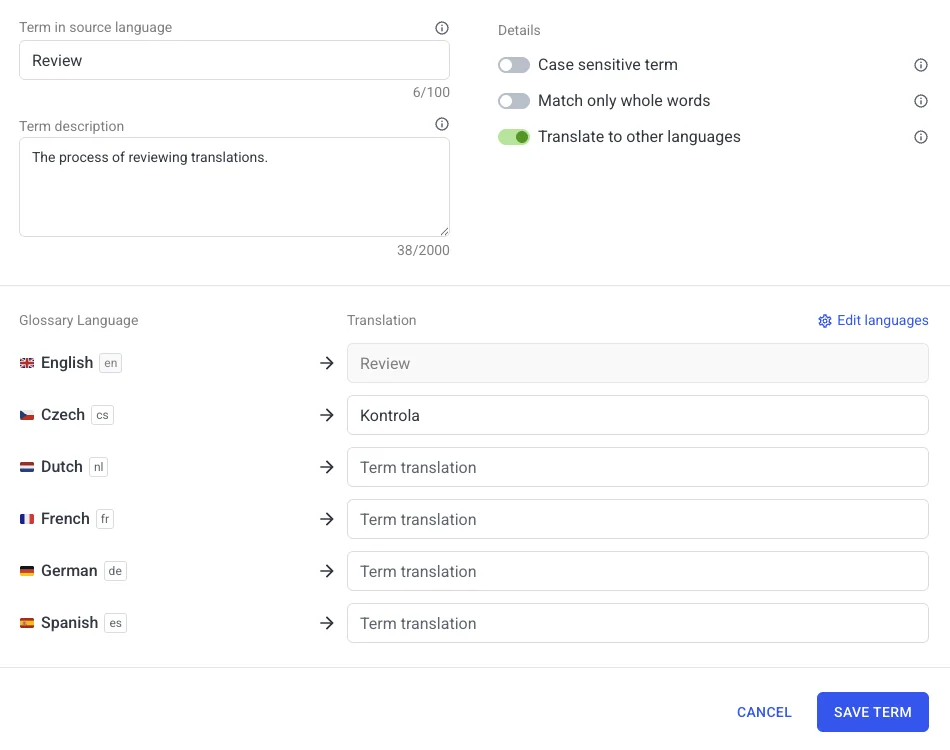
The biggest difference is in how glossary languages and the terms themselves are managed. You don't have to add each translation for each term separately or click between tabs like crazy anymore: it's all neatly organized in one single screen where you can edit whatever you want.
🧳 Improved batch translation 🔗
A few targeted improvements to the batch translation flow.
When you're setting up a batch translation job, the configuration screen now clearly shows in what extent are glossaries and style guides supported by each provider.
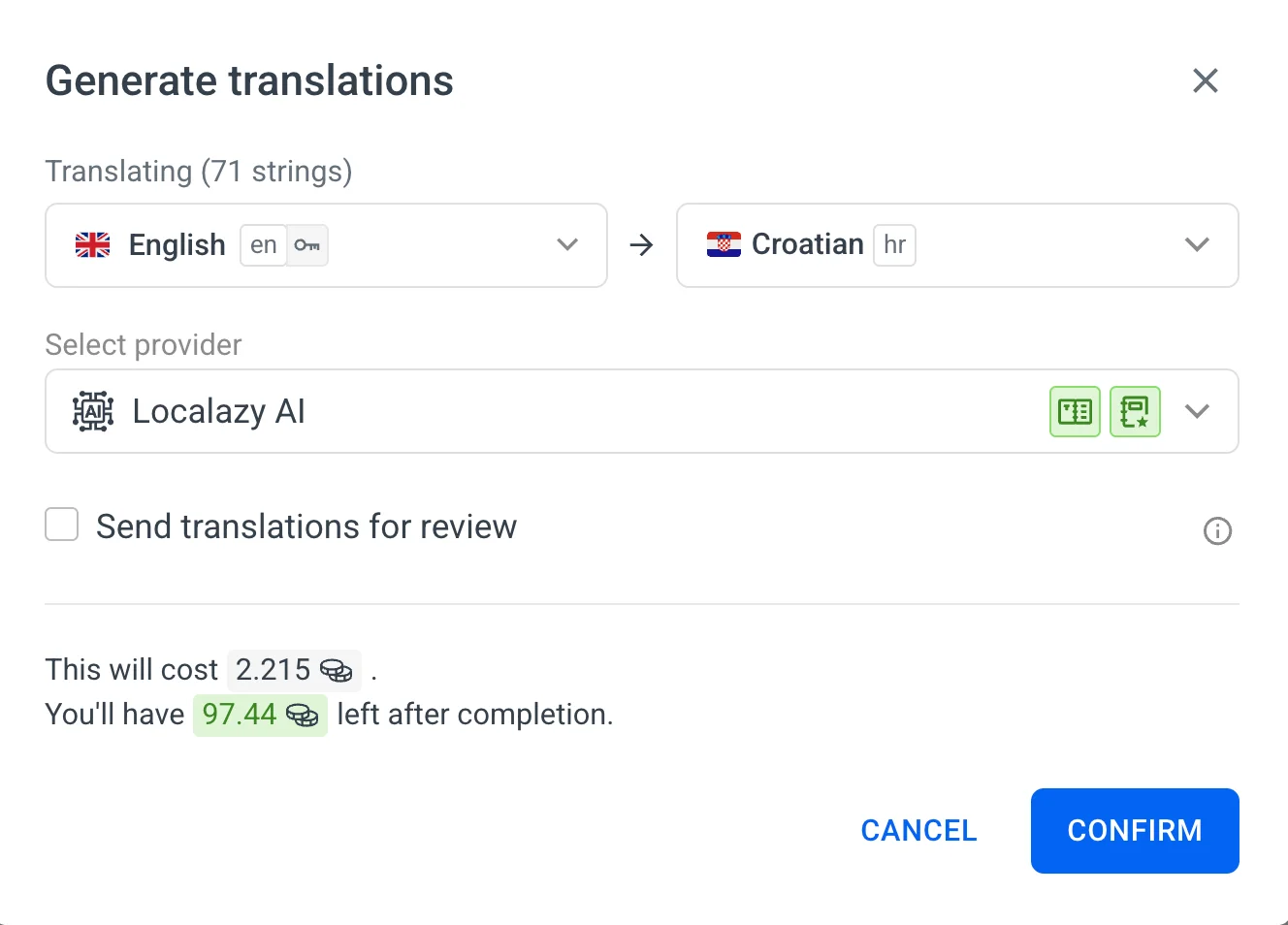
You can also select a different language as the source for translation. Previously, batch jobs always translated from your project's default source language. If your favorite provider performs better from English than from your source language, you can now set that up directly instead of working around it.
🌚 Dark mode 🔗
Dark mode is now fully rolled out across the product. It follows your system preference by default, so if your OS sets to dark automatically at dusk, Localazy will match it too. You can also set it manually in your profile menu. Perfect for those late-night sessions when the deadline is getting dangerously close!
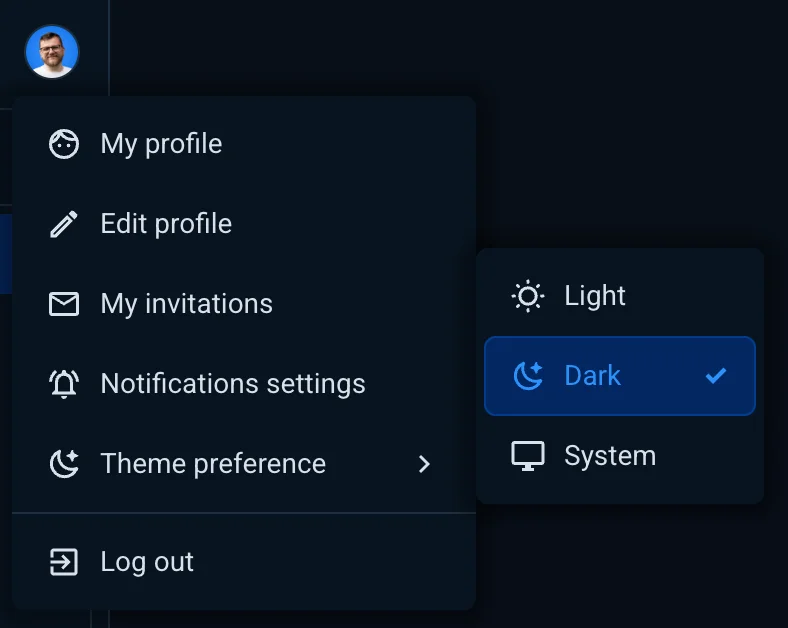
Author's note: As you can see, the Localazy website is not yet available in dark mode, so if you love to read our blog during the night, put on some sunglasses! 😎
🔀 Language mapping in integrations 🔗
All Localazy-side integrations now include a language mapping option.
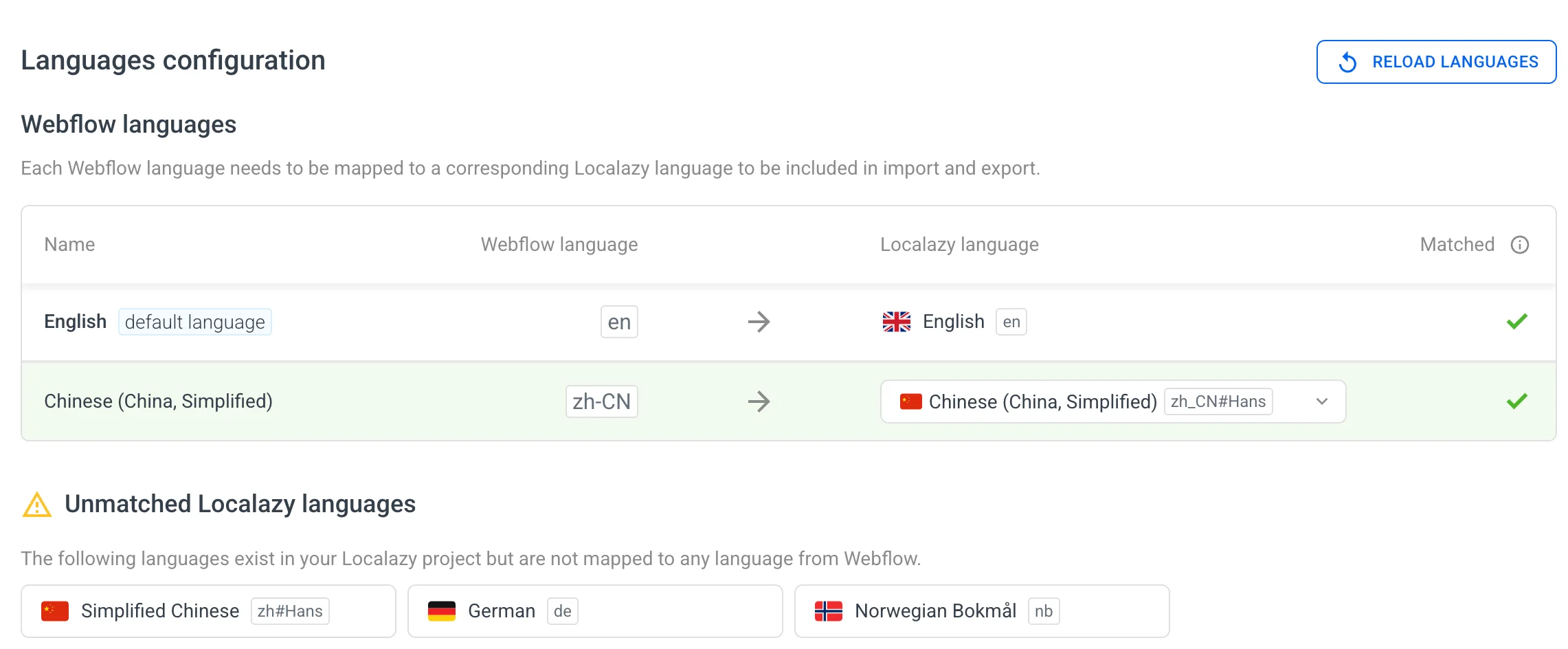
Above is an example of language mapping in a Webflow localization project in Localazy.
Different platforms we integrate with sometimes use inconsistent language codes. Script variants often get dropped, and what Localazy calls zh_CN#Hans might arrive as zh-CN on the other end. Previously there was no clean way to handle this and it was not possible to use some languages in some integrations. Now you are in full control.
💜 Strapi plugin improvements 🔗
Four additions to the Localazy Strapi plugin:
- Incremental translation updates
- Excluding upload of individual items
- Activity logs & troubleshooting bundle for easier debugging
Download only translations with changes 🔗
This was the biggest complaint of some Strapi users with thousands of translations synced between Localazy and their Strapi instance.
The plugin now tracks which translations have been successfully downloaded per language and per key. On subsequent downloads, only keys with newer translations than the last time are processed.
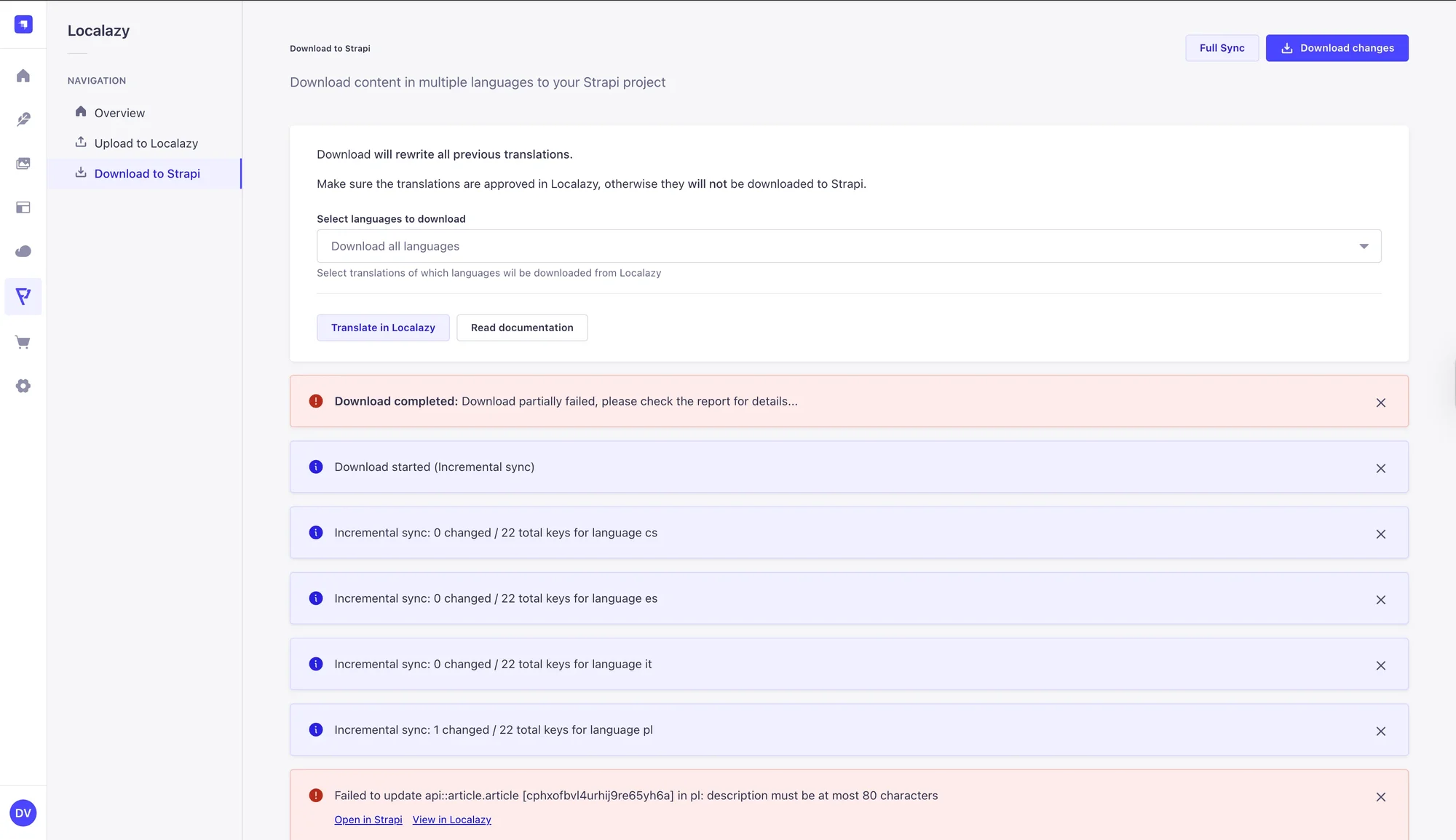
📩 Learn more about how Strapi plugin translation sync works in the docs.
Exclude individual entries 🔗
You can now mark specific entries to be excluded from uploads to Localazy. If you have content that shouldn't go through the translation workflow at all (draft entries, internal notes, or anything not ready for translation) you can exclude it at the entry level rather than having to restructure your content model.
🎬 Learn how to exclude entries from uploading to Localazy.
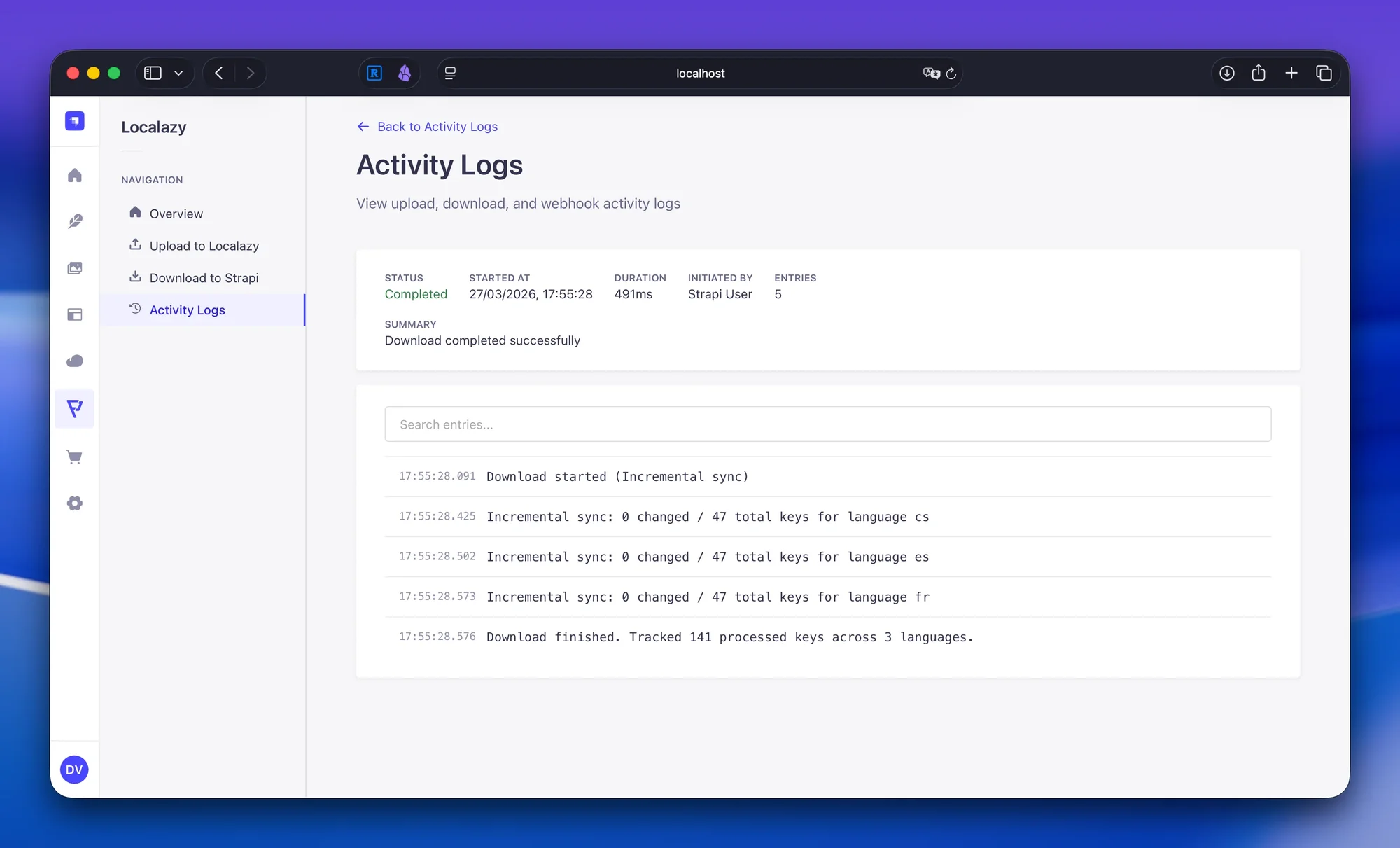
Activity logs 🔗
The plugin now also has a dedicated Activity Logs section that shows a history of all upload, download, and webhook events. This gives you a clear record of what the plugin has done, makes it easier to track down automation issues, and helps when something behaves unexpectedly.
Troubleshooting bundle 🔗
When a session fails or behaves in an unexpected way, the plugin can now generate a troubleshooting bundle. It's a single zip file that captures everything needed to reproduce the issue. You can share it directly with Localazy support to help us help you.
🗃️ Improvements & fixes 🔗
A few more things worth noting:
- MT service stability: We improved how the machine translation service handles provider-side connection issues, retries, and unexpected responses. Jobs that would previously fail or get stuck are now handled more gracefully.
- Credit transaction sources: The credit transaction overview now identifies more sources, including API usage and AI suggestions.
- Credit reset display: The billing section now shows the amount of credits that will reset alongside the reset date, so you know exactly what's coming back at the start of the next cycle.
- File upload format mismatch detection: When uploading a file in a different format than your source, the upload UI now shows an inline warning rather than failing silently. You can also intentionally upload translations in a different format if your workflow requires it.
- Grouped select menus: Select menus across the product can now display options in grouped sections, making longer dropdowns easier to scan and navigate.
- Trial account credits: Trial accounts now get 2 credits upfront (with the option to purchase more during the trial), rather than being subject to a hard limit for machine translation.
- Language overview refresh: Opening the languages overview now triggers a refresh of project data, so key counts stay in sync with recent uploads and changes.
- Searchable country select: The country field in account settings now uses a searchable dropdown, replacing the native browser select.
- Password requirements: The change password page now shows updated password requirements inline.
- Unsaved changes prompts restored: Browser prompts warning about unsaved changes were missing on certain pages (settings, review screens). These now appear correctly again.
- Translation warning isolation fix: Ignoring a translation warning for one key could incorrectly suppress warnings on other keys until the page was refreshed. Fixed.
- Source key rendering fix: Placeholders and markup-like text inside key names were being highlighted incorrectly. They're now only highlighted when they match an active search.
- Keyboard shortcuts overlay fix: The overlay failed to open when the side menu was collapsed. Fixed.
- Screenshot upload warning fix: An incorrect warning was appearing after screenshots were uploaded. Fixed.
- Copy translations automation setup improvement: To reduce the risk of misconfigured automations, Copy Translations now requires you to pick a source language in the first step of the setup flow, before any other options are configured.
- Various performance and interface improvements across the platform.
🎁 Wrapping up 🔗
That's a lot of ground covered. What update or improvement is your favorite?
As always, if you run into anything unexpected or have feedback, reach out via the in-app chat or drop me a message at petr@localazy.com.