More often than not, mobile app development teams target both the leading platforms: iOS and Android. Maintaining separate projects for each platform, they hold rarely identical, most of the time overlapping strings. And if you’ve rightfully brought localization into the equation, you must now be faced with a fresh set of challenges around mobile app localization, especially when both platforms evolve separately.
Without a proper i18n project setup (especially when both your apps evolve in parallel), you are likely to deal with duplicated work, conflicting translations, missing keys, inconsistent product wording, etc. This is where i18n project management comes into play and features like format conversion become important.
Let's see how you can structure your projects right to avoid problems in the long run.
☝️The reasoning behind structuring
When you are localizing for both iOS and Android, solid structuring can save you many headaches. Even if both platforms serve the same product, their string sets usually behave differently, such as:
- Having the same concept but different phrasing:
iOS: "Allow push notifications?"
Android: "Turn on notifications for this app?"
- Sharing meaning but different key names:
iOS: "profile.logout_button.title"
Android: "menu_logout"
- Including platform-specific features (for instance, Android apps come with a biometric sign-in option).
Recognizing the differences here is what tells you whether to group all strings into one project or split them into multiple ones. And this is where Localazy’s superpowers shine:
Format Conversions
You maintain strings in one platform’s format. Localazy exports them into the other platform’s format (iOS XCStrings ↔️ Android XML). As simple as that. No manual rewrites or restructuring are needed.
Translation Memory
Using your previously approved translations, you get suggestions whenever identical matches appear across different strings. You can then reuse them as you wish.
Duplicity Linking
Translation Memory allows you to reuse previous translations. But what if you didn't have to? With Duplicity Linking, you won't have to translate the same keys over again: you link them together and let them share their translations, with changes applied automatically across all linked duplicates.
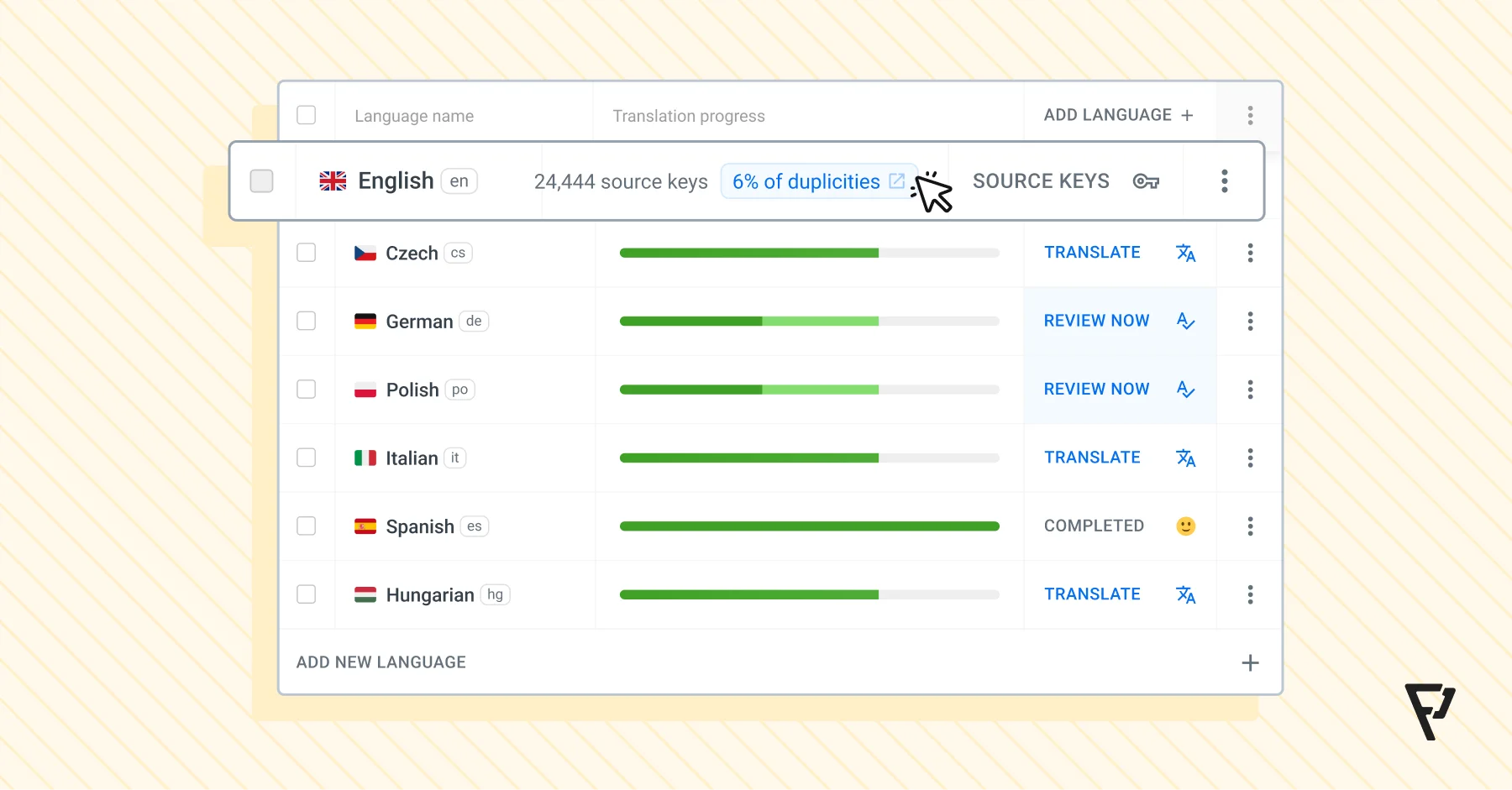
With these in place, your team won’t translate “Login” a dozen times, or create multiple translations like “Log in”, “Login”, “Log In”, each demanding translations of their own. Together with easy format conversion, these three features halve your workload before you even realize it.
Now, let's get to the nitty gritty. We'll outline the most common scenarios when iOS and Android strings are mixed, and some easy steps to fix it.
1️⃣ Scenario 1: Strings are identical across iOS and Android
This is pretty much a fairy tale for mid to large-sized mobile development. If your apps share all strings across both platforms, a single Localazy project with just one platform’s string files is all you need.

This approach works when:
- 👁️ Differences are mostly visual (your UI layouts are adapted to each platform’s style, while the UI wording and code logic stay the same).
- 💬 You've decided to maintain a unified language throughout the platforms.
In this setup, you only send strings from one platform into Localazy. Most teams pick Android for this, simply because it already holds the bulk of their strings. Once the strings are in, Localazy takes care of converting everything into the iOS format using format conversions.
Steps
- Upload your Android strings (strings.xml) to a single Localazy project.
- Translate everything there in one MT/AI/human round.
- Export the translations in the iOS format (.xcstrings or .strings) using Localazy’s format conversion.
It gets even easier if you use the Localazy CLI: you can get strings for both platforms automatically by including the command line tools in your CI/CD or build process.
Why this works better
Keeping things in one place will help you in several fronts:
- No duplicated translations.
- End of inconsistent terminology.
- Translations automatically apply to both platforms.
- Format conversion ensures Android and iOS always get the right output.
- Translation Memory fills in recurring text automatically.


2️⃣ Scenario 2: One platform contains all the strings of the other
Landing from the fantasy world into the real one, this is the most common situation you’ll see in real projects. In many mobile app setups, both apps share most of their wording, but one platform includes a few extra screens or features on top. This leads to one of your platforms containing a larger string set, while the smaller platform’s strings are fully included in the larger one.
Imagine these contexts:
- Your iOS app ships more features (and resultantly, more strings).
- Your Android app kept some legacy screens that the iOS app never had.
Example: Your iOS app has 150 strings and the Android version has 95. 95 of them are overlapping, but 55 only belong to iOS.
To handle this, you’ll need two Localazy projects: a common and a platform-specific one (here, for iOS).
Steps
- Upload Android’s shared strings (strings.xml) to the common project.
- Translate the full set of strings once for all existing languages.
- Export translations from the common project in .strings or .xcstrings using format conversions.
- Upload the iOS-only strings into the platform-specific project.
- Export the translations from the iOS-specific project (no conversion needed, but you still export them so your iOS-only strings are translated and ready to use).
- Merge both exported string sets into your iOS app by placing both files inside the localization folder.
The same logic applies vice versa.
Why this works better
In this situation:
- Shared wording stays centralized.
- Extra strings live separately.
- Translation Memory auto-suggests known translations.
- Format conversions keep both outputs correct.


3️⃣ Scenario 3: Both platforms contain unique strings
This is the full independence case. When your apps:
- ship their own features,
- have separate flows & roadmaps,
- or evolve at different speeds,
it’s time to give each platform its own space while still keeping them connected behind the scenes.
This time, you still use two projects (one for Android, one for iOS) but you hand the mic over to Localazy’s Automations to handle the smart work in between.
Steps
- Create two projects: an iOS project and an Android project.
These projects will store common strings + strings that only exist in these apps, like:
- iOS-specific features (e.g. “Use Face ID to continue”).
- Apple ecosystem elements (e.g. “Sign in with Apple”).
- Android biometric features (e.g. “Use fingerprint to continue”).
- System notifications (e.g. “This app is using battery in the background”).
2. Spot and solve your duplicates using one of these two methods:
- Cross-project Translation Memory (TM)
This is the basic setup to avoid duplicates. TM will detect matches and let you reuse and modify them independently. You can set up the cross-project feature via Connected Projects and apply changes in bulk using Automations.


- Cross-project Duplicity Linking
This method completely automates the sync process, creating a tight connection between duplicates. Once connected, you don't have to think about it ever again. For teams whose iOS and Android apps don’t grow at the same pace, this is the best option long-term.
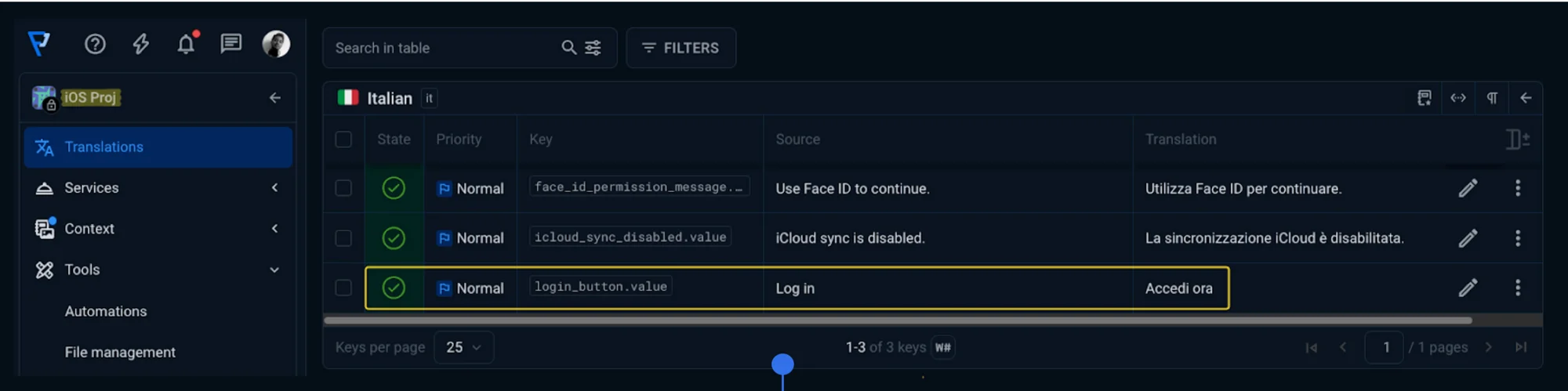

For instance, if you make a translation change in the iOS Project, Localazy will automatically update the Android version of that same text, and vice versa
Why this works better
Taking the independent path has its own merits:
- Everyone knows where strings live.
- Translators only see strings that actually show up in the app they’re working on.
- Each platform can develop at its own pace.
- Debugging becomes much simpler.
- No manual intervention is required.
📲 Use case examples
If you're still unsure on what solution would be best for your use case, here are some examples for different industries and contexts.
Fitness app: Shared UI, high overlap
On both iOS and Android, the main screens use the same wording for buttons and labels. The only real difference is that Android shows a couple of extra system permission prompts.
News app: Mostly shared UI, but one platform has a few extras
In a news app, both iOS and Android will usually show the same basics: headlines, section names like “Sports” or “Business”, and the main category labels. Where things start to drift is when one platform gets a couple of bonus features (for example, iOS has “Saved Articles” and “Reader Mode”, while Android doesn’t).
Marketplace app: Mostly non-shared UI, different features and roadmap speeds
Marketplace apps often diverge heavily. Maybe for the same product, its Android app focuses on seller tools, while its iOS counterpart leans more into order management and fulfillment. Resultantly, each platform ends up with its own identity, including unique screens, different roadmap priorities, and very little shared UI.
?FAQs
Can I start with one project and move to two later?
Yes. You can later split your project into common and platform-specific ones as things grow.
How do I choose between “one project with rules” and “two projects”?
If both platforms move in lockstep, stick to one project with rules. If the bigger app runs ahead and needs more freedom, go with two projects.
Can using multiple Localazy projects slow down mobile app localization?
No, in fact, it's the complete opposite. Thanks to Translation Memory and Duplicity Linking, Localazy takes care of the shared stuff on its own. Translators end up seeing only what’s actually relevant to their platform, which usually makes the whole process faster.
Can I handle Android localization programmatically with Localazy?
Yes. Use Localazy CLI or the Android Localazy plugin to automate uploads and downloads entirely. Use the plugin if your team is more comfortable staying in Gradle rather than dealing with separate CLI calls.
Should I connect Translation Memory to Glossary?
If your setup grows beyond two projects (maybe you added a separate admin app or a lite version of your main Android app focusing on low-end devices), it makes sense to connect both to ensure important terms, like product names or UI labels, are kept consistent.
💬 A final note
Working on mobile app localization across iOS and Android can look overwhelming, but it really doesn’t have to be. With a bit of upfront i18n structure, plus format conversions, Translation Memory, and some cross-project automation, Localazy handles most of the heavy lifting for you. Try it today and contact the support team if any questions arise.