One of the most frequent requests we get from you is more automation options. Setting up your translation workflow and having to do minimum work to keep it flowing is what we strive for. If you're a Directus plugin user, you can now enjoy this ease with automated two-way syncs for upload and download (and a few more improvements). Here's what's new.
✅ Full Directus 12 support 🔗
The plugin now supports Directus 12. Upgrading won't affect your existing translation setup inside Localazy. Version 11 is still supported, while 10 (1.x version) is not maintained anymore.
Directus 12 also includes a native AI translation feature behind a license. If you're using Localazy, your workflows won't be affected by that change and it will work exactly the same.
🐇 Translations that sync themselves 🔗
The star of this release is the new automatic two-way sync, available via a companion automation bundle:
- Automated import: Create or update translatable content in Directus and the source text will be pushed to Localazy for you. You won't need to update manually anymore. You can also let deleted entries automatically deprecate their Localazy keys to avoid orphaned content.
- Automated export: The moment new translations are published in Localazy, they'll be automatically pushed back to Directus via webhook.
Setup only takes a one-time step on the Automation page:
1️⃣ Enable both Export and Import.
2️⃣ Pick which Admin user the imports run as, and optionally choose which languages to import.
3️⃣ Click Set up webhook to connect Localazy to your instance.
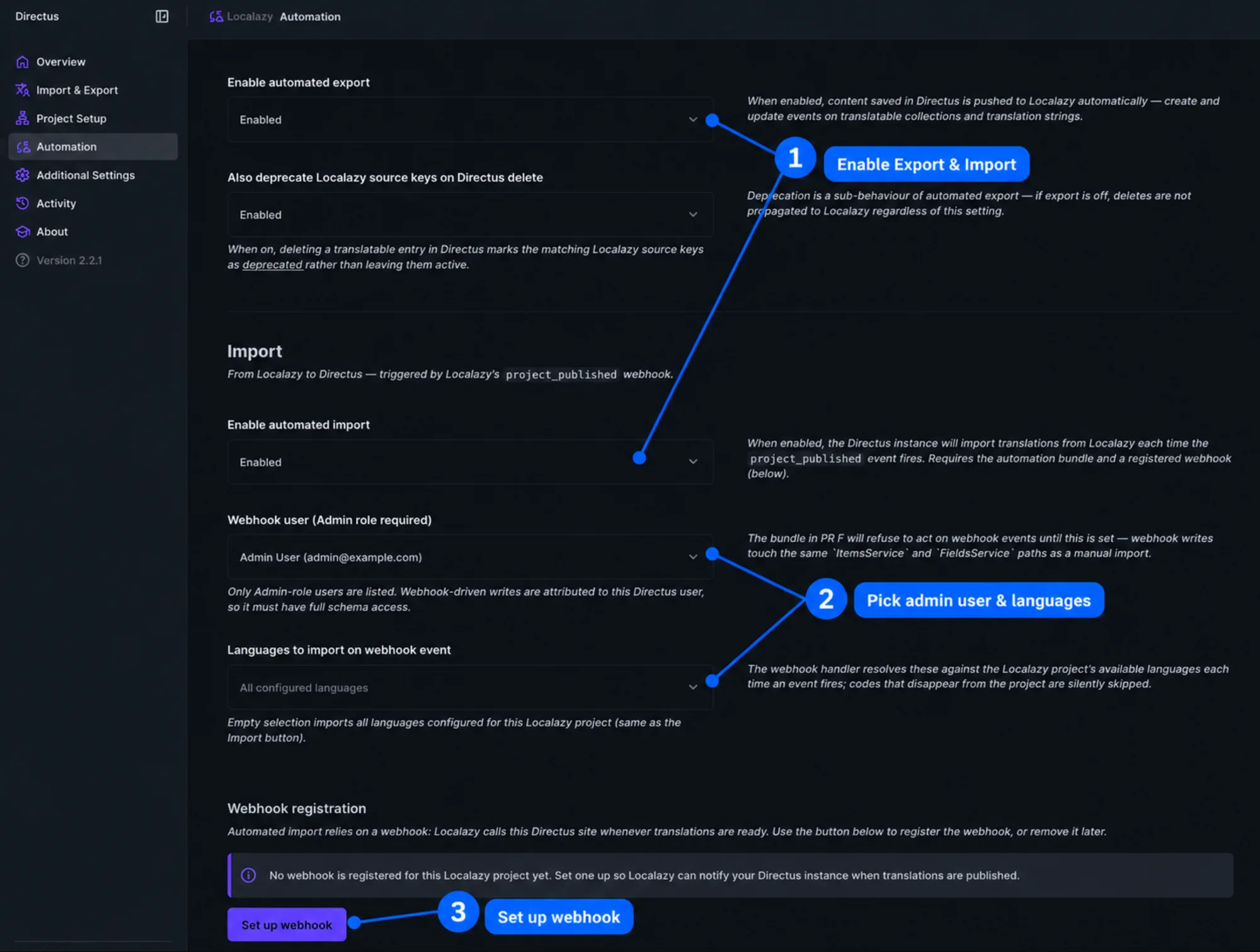
The outcome is new and edited source content directly exported from Directus, and translations from Localazy automatically flowing back to the CMS. Easy and quick!
🔖 Note: This assumes you've already connected your project and selected translatable collections. If you haven't, check this: Guide to Directus localization with Localazy
Faster syncs 🔗
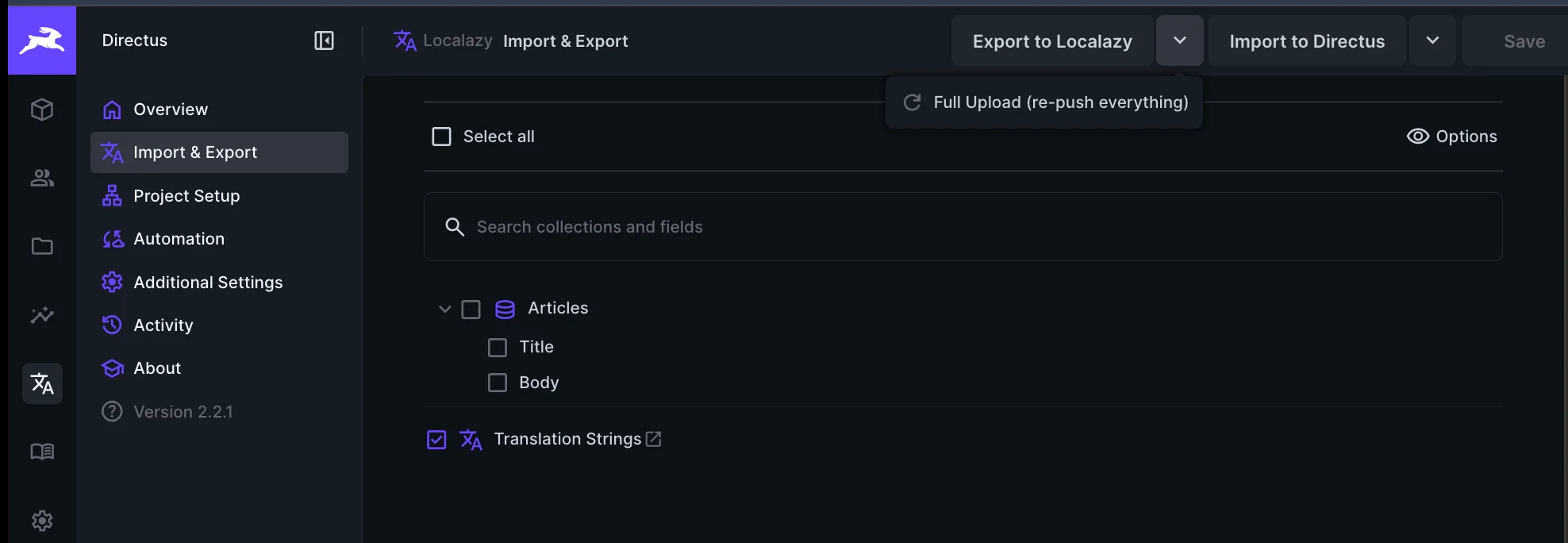
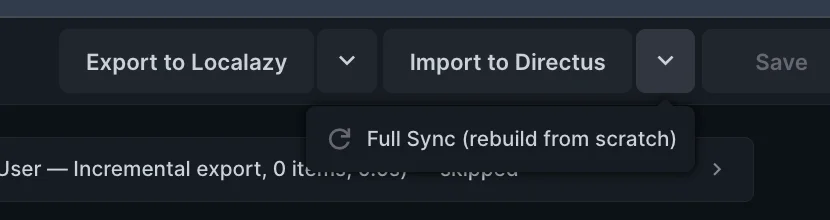
Import and Export are now incremental by default. Each run only transfers what changed since the last sync, and keys aren't re-processed every time. As a result, day-to-day syncs will be noticeably faster and lighter. If you need a clean slate, you can select Full Upload (re-push everything) on export, or Full Sync (rebuild from scratch) on import.
Full visibility on the Activity page 🔗
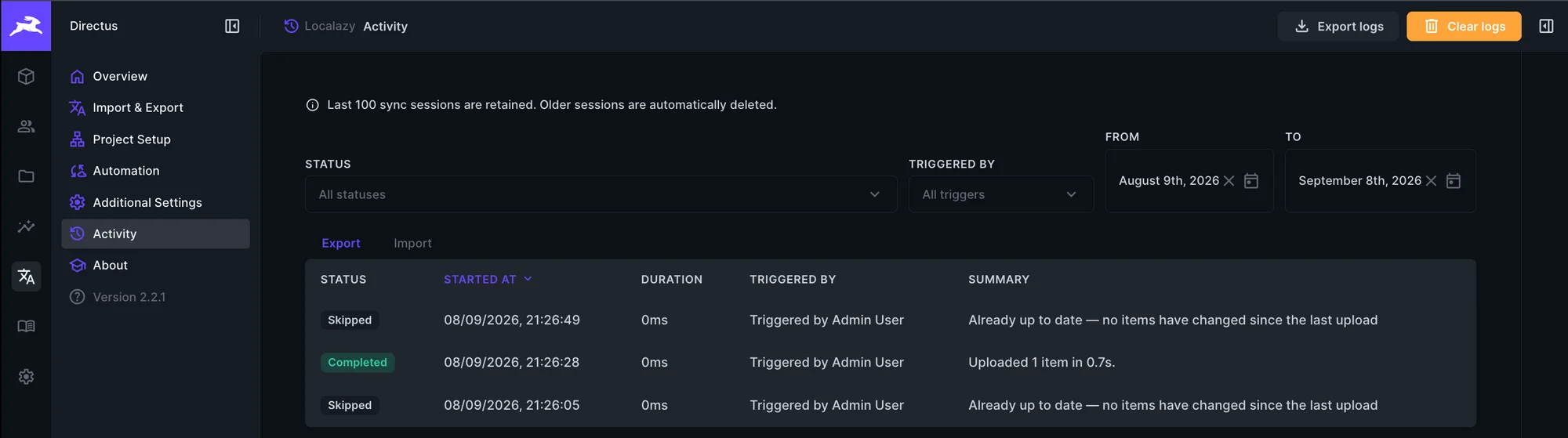
Every sync, whether manual or automatic, is now recorded on a new Activity page, split into Export and Import tabs. Filter by who triggered a run, its status, or a date range, and open any run to see the log.
If an import ever gets stuck, the Terminate session button safely aborts it and releases the lock so the next one can proceed.
🌍 Custom language mapping 🔗
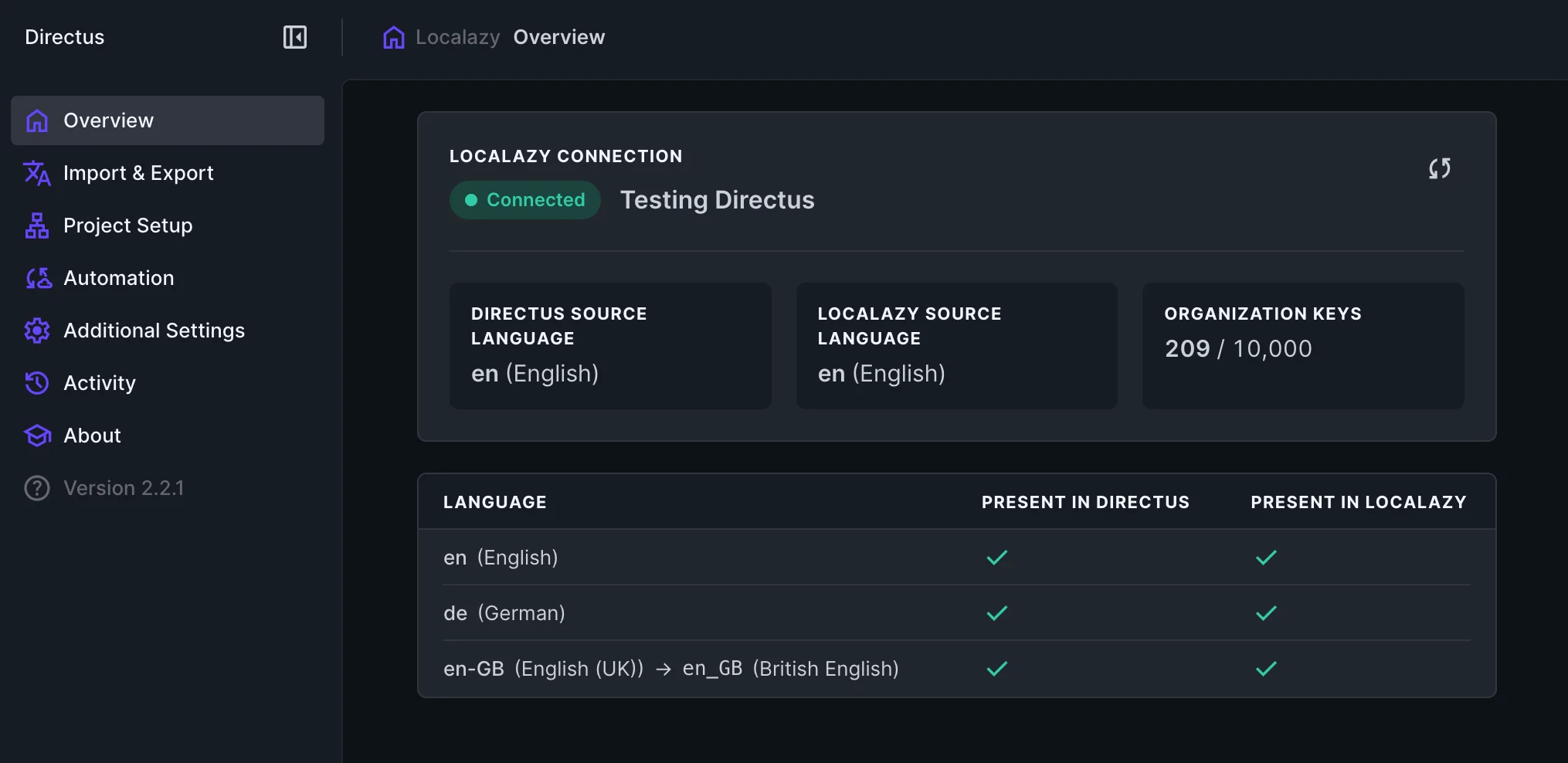
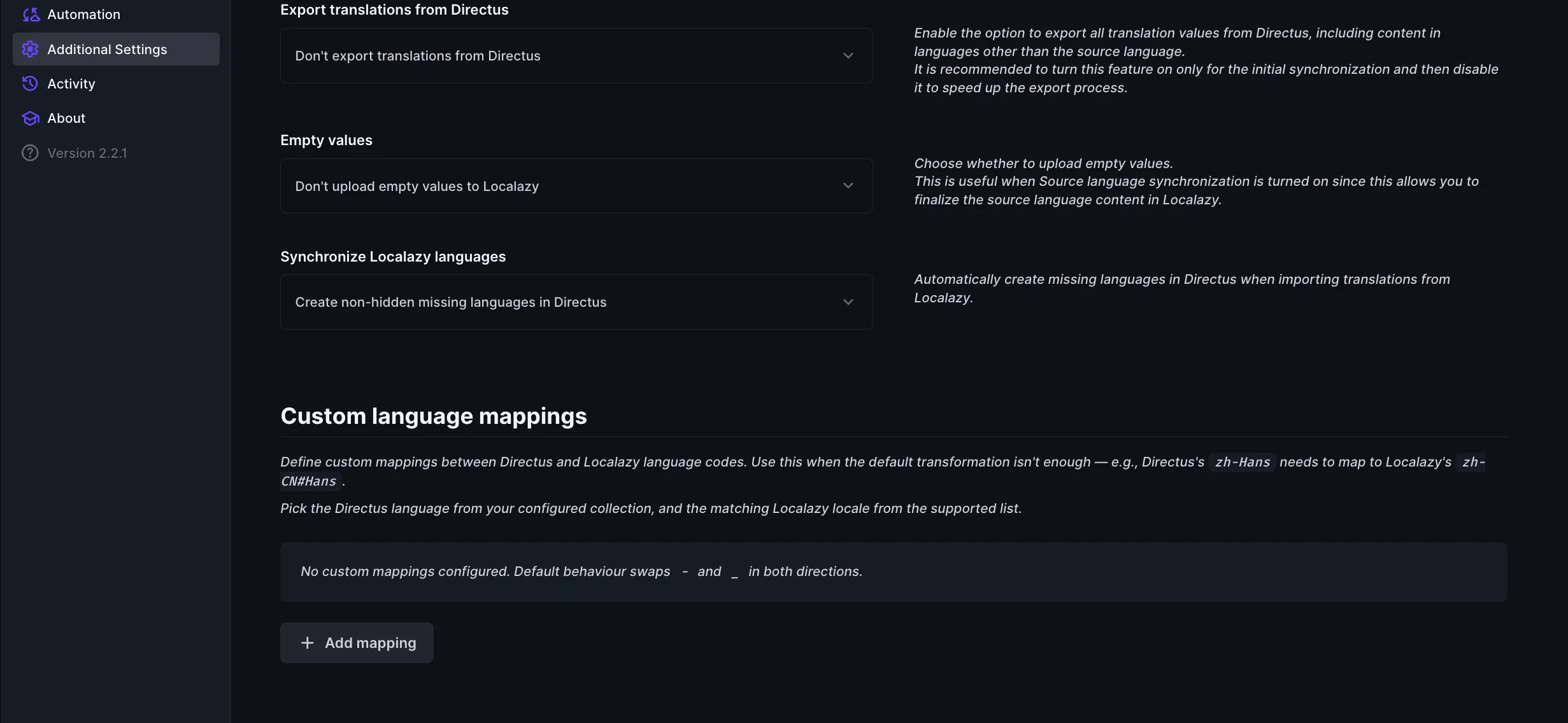
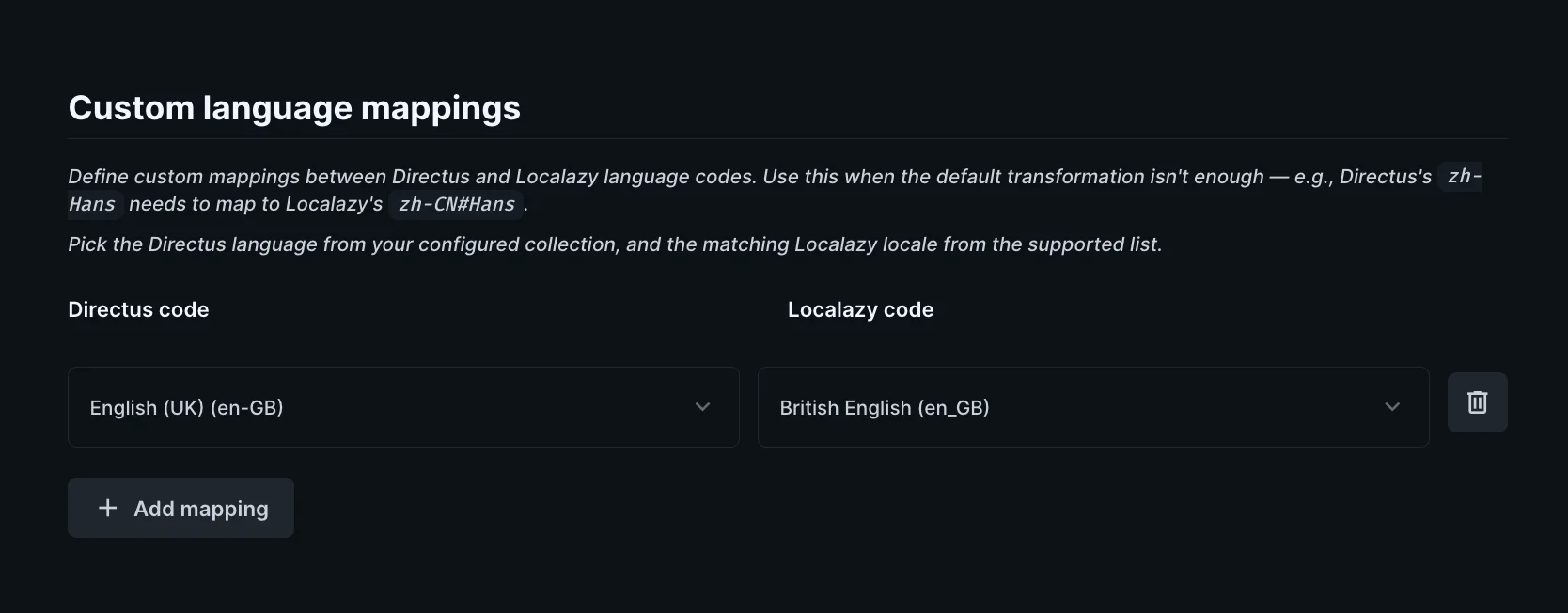
Locale codes can vary between Directus and Localazy (eg. Directus might use en-GB where Localazy uses en_GB). The redesigned Overview now shows a language map that lays your Directus and Localazy languages side by side and flags any differences. You can define a custom mapping (in Additional Settings) so the two are correctly paired and syncs happen correctly.
🩺 Clearer errors and a friendlier UI 🔗
When an import includes some kind of mistake, like a value too long for a column or a missing language, the plugin now groups identical errors into a single counted row you can expand. There you can access the exact Directus item that needs fixing.
In addition, a few other features are included:
- You can now search within the Import & Export collection tree.
- You can turn on Dark mode for every page.
- The first-run experience is overall smoother.
🚀 How to upgrade 🔗
Update to the latest 2.x version from the Directus Marketplace or npm. For the automatic sync, also install the companion automation bundle.
Installing the automation bundle from the Marketplace requires MARKETPLACE_TRUST=all in your Directus config (see documentation here). The reason is that, by default, the marketplace lists only extensions that use Directus' scoped sanbox. Our plugin needs to reach out of it to communicate with Localazy servers for upload and import operations. You won't need that for a manual npm install .
When you're finished, open the Automation page and switch it on. That's it!
👉 Recommended read: I used a Directus plugin to localize content: Pros, cons & full process
💬 Feedback and contributions 🔗
Both extensions (the plugin and the automation bundle) are open source and built in a GitHub repository. Hit a bug, have an idea, or want to contribute? We'd love to hear from you:
- Report an issue or open a PR on github.com/localazy/directus-extension-localazy.
- Browse the code: the plugin module and the automation bundle.
- Prefer to chat? Ask the support team or share feedback on the Localazy forum!
Update to the latest version and let us know how it goes. 👋