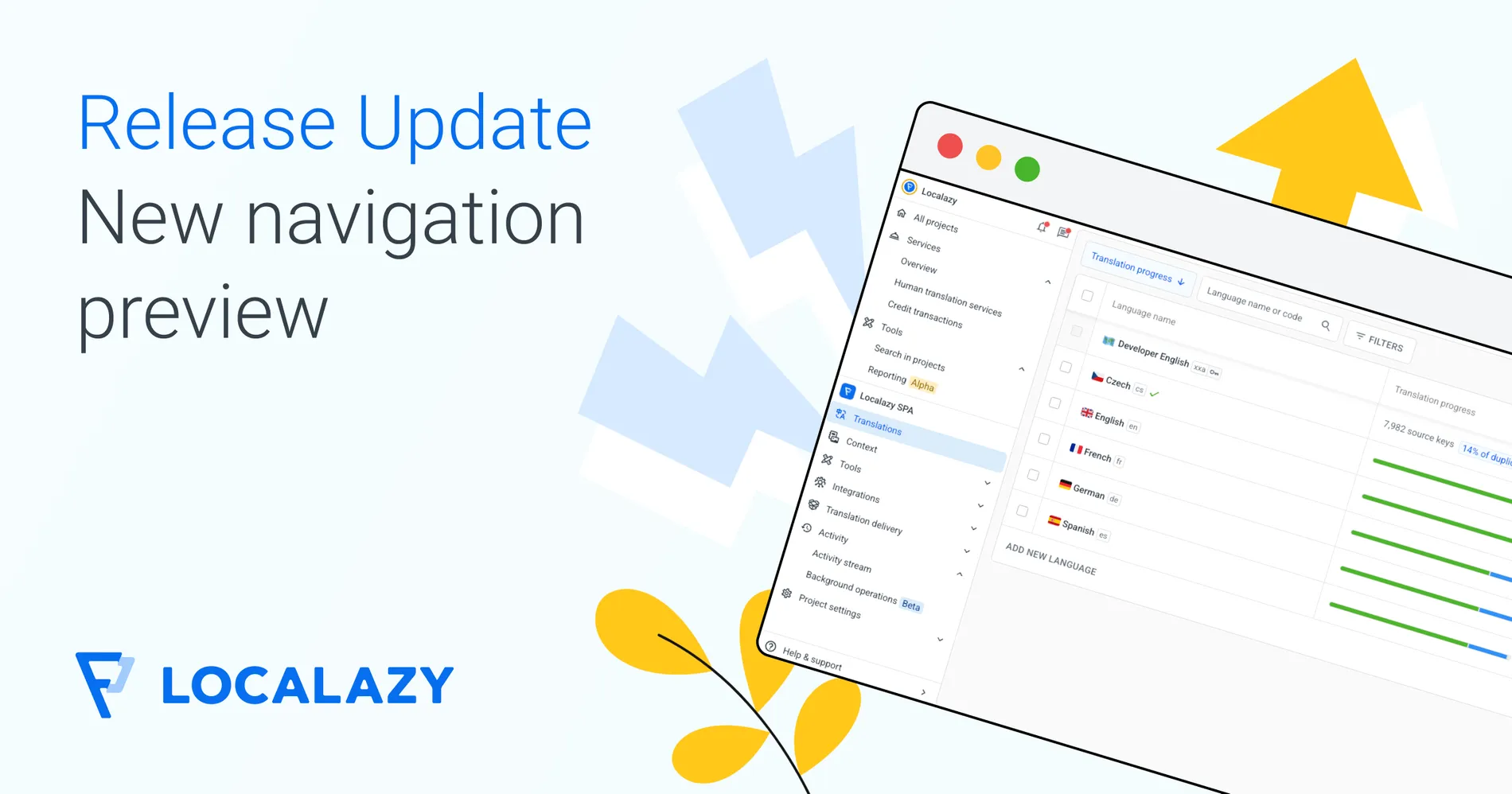
We tested the new menu internally over the past few weeks, and we want to see whether this direction works for everyone using Localazy, gather feedback, and catch anything we might have missed during our internal tests.
If you notice something doesn't work as expected or is completely broken, you can switch back to the old menu at any time. We'll roll this out to all users in October.
🧐 What is different?
One persistent sidebar shows organization items and project items in the same place.
Faster project switching. Simply click on the project switcher, and you can jump to any other of your projects in two clicks. When you have more than 5 projects, the project switcher turns into a search field, so you can type the project name you want to find and the list filters immediately.
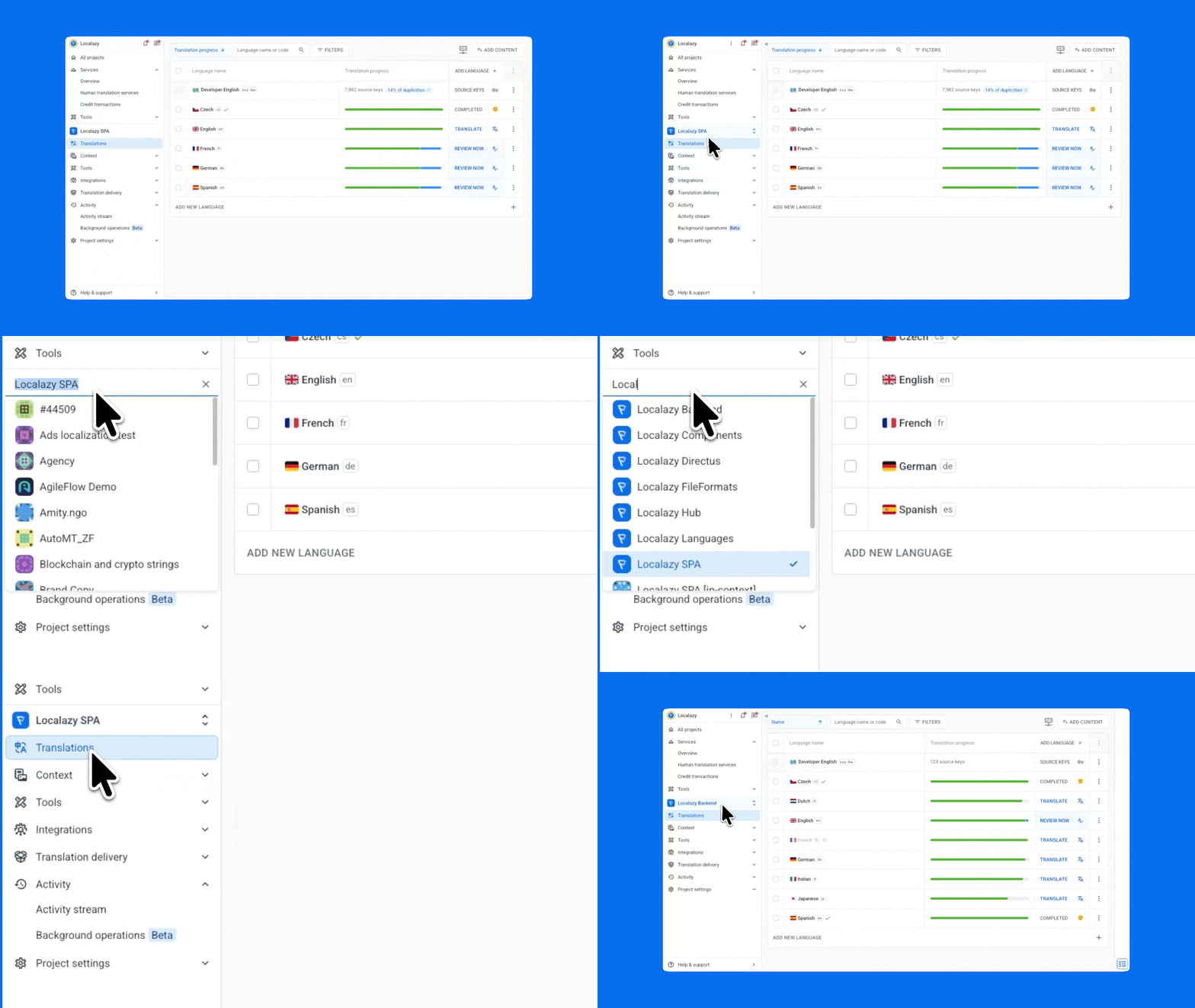
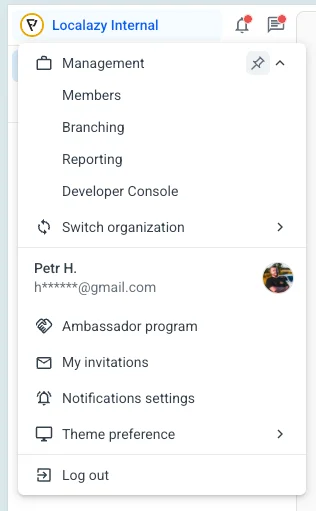
Organization management, your user profile, and cross-project tools are one click away, with an option to pin sections you visit often to the main menu.
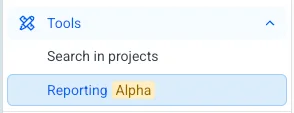
Features that are still in early access show an Alpha or Beta chip in the menu and on their page. You always know what's still in development.
🙈 How to go back to the old menu?
If you prefer the old menu, please share your feedback! Contact us using the Help & Support button to open the in-app chat or email us at team@localazy.com.
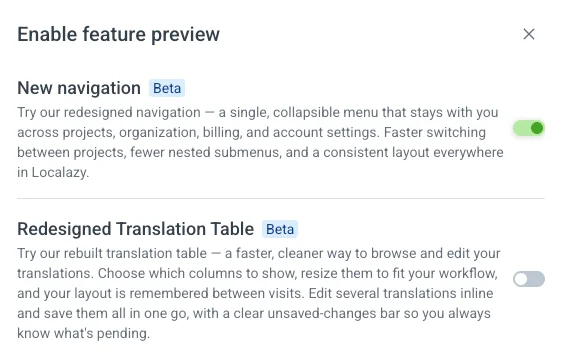
- Open Help & Support, find Feature preview.
- Turn off the "New navigation" switch.
- The old menu loads immediately.
You can move between the two menus as many times as you want. No data changes, and no settings are lost.
🚨 Full switch coming in October!
In October, the new navigation will become the default for all users, and we'll remove the old menu. We will use the time to collect your feedback and fix anything that needs it for a smooth transition.
We hope you like this change!